
Boardspace
Board management tool for nonprofits, homeowner’s associations, and more.
🛼 Role
UX Designer, Researcher
🎯 Skills
Wireframes, Visual Design, UX Research, UX Writing, User interviews, Collaboration
🛠️ Tools
Figma, Zoom, Slack
⏳ Year
2024
🗓️ Duration
4 Weeks
Background
Boardspace is software developed to help volunteer-led organizations (such as homeowners’ associations, co-ops, and nonprofits) keep track of meetings, documents, membership, and other reoccurring actions.
Boardspace has a wide suite of features, but our four-person student design team was tasked with redesigning the Agenda Builder Tool.
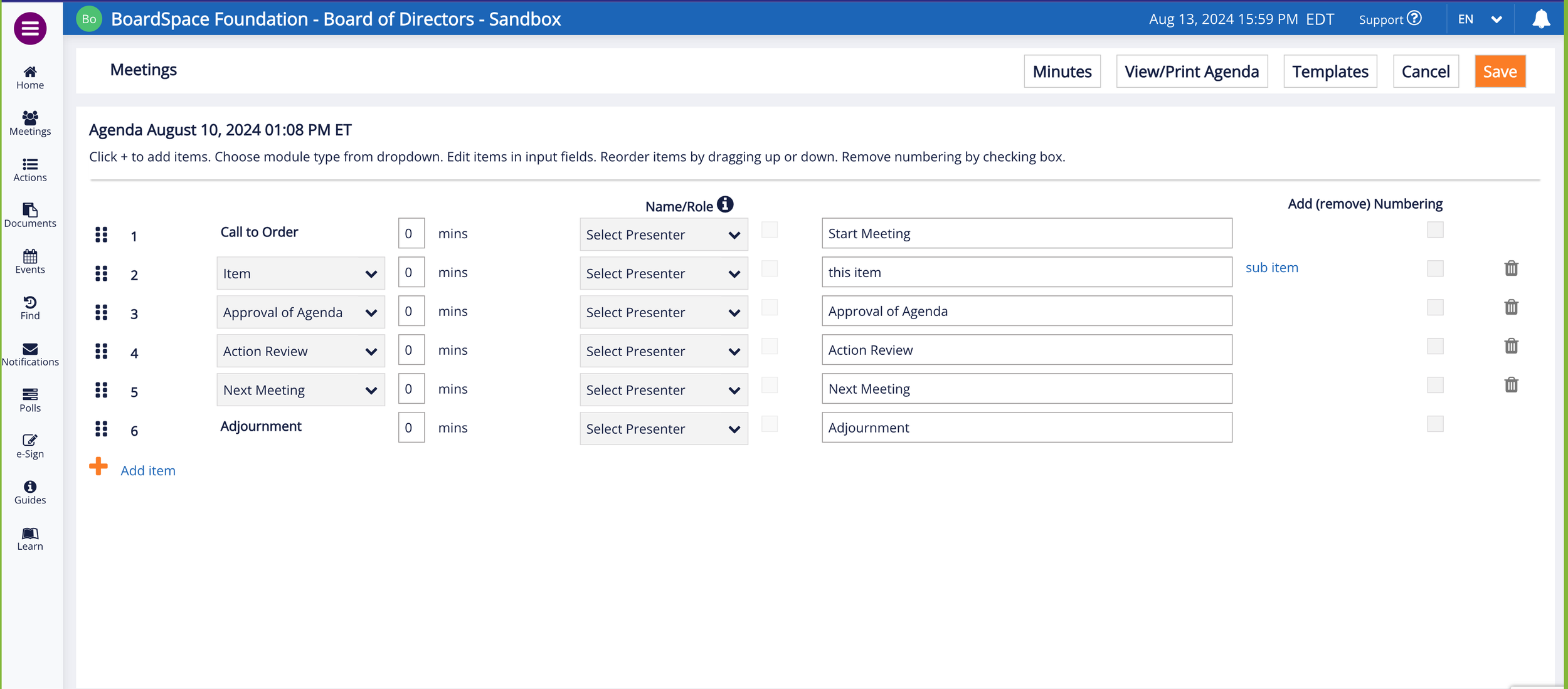
The Agenda Builder Tool allows a designated member of the organization to create and edit a detailed schedule for meetings, including the ability to:
Add, remove, and reorder items
Assign time limits, presenters, and descriptions to each item
Use customizable preset templates
Save, print, and export agendas.
Additionally, the Boardspace team hoped to add the ability to:
Attach documents and comments to each agenda
Add and reorder sub-items that are grouped with higher order items.
Design process
DEFINE — IDEATE — DESIGN — PROTOTYPE — TEST — REFINE
Is the classic “design thinking” methodology outdated? Maybe. But the Boardspace team’s practice of employing successive teams of student designers is well suited to allow for multiple, cyclical iterations of a product, even if this team’s individual time frame (4 weeks) only allowed for one cycle.
1. Define
The Users
Most current and expected users are people over 40 (Closer to 60)
Therefore, the software should be accessible to users who are not tech-savvy and have health problems impacting motor control (ie. Arthritis of the hands)
Most users will be familiar with the concept of building an agenda, but the software’s functions should be easy to learn and discover for first timers. No hidden buttons!
Limitations
The “Call to Order” and “Adjournment” items must always start and end an agenda. They can not be moved or changed.
The system calculates the total time of the meeting using the duration of each item.
There are 3 levels of items:
* item
* sub-item
* sub-sub-itemLong, unwieldy items with lots of sub-items are common.
Problems
The drag-and-drop feature is hard to use when there are lots of sub-items
The content on the screen looks messy when collapsed
Users cannot currently drag multiple items at same time.
Goals
Make reordering easier for older and non-tech-savvy users.
Improve responsiveness and usability on smaller screens.
Interface should look nicer, cleaner, more intuitive, and easy to pick up.
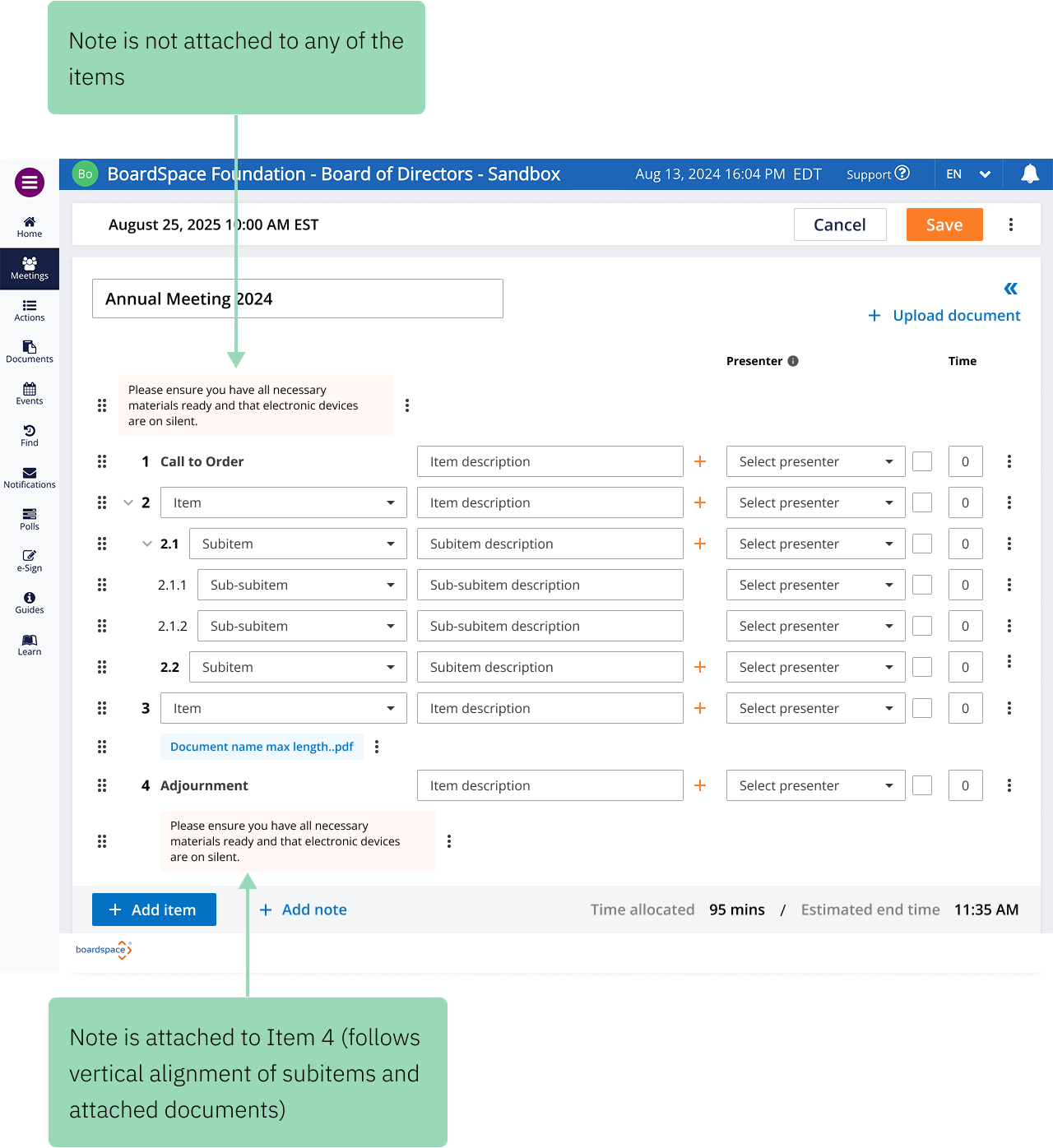
Incorporate attachments and comments/notes.
2. Ideate
Continuing the previous team’s work
Boardspace UX designer Logan and a previous student team began work on the agenda builder tool around a month prior. Our team’s work was built off of their sketches and wire frames.
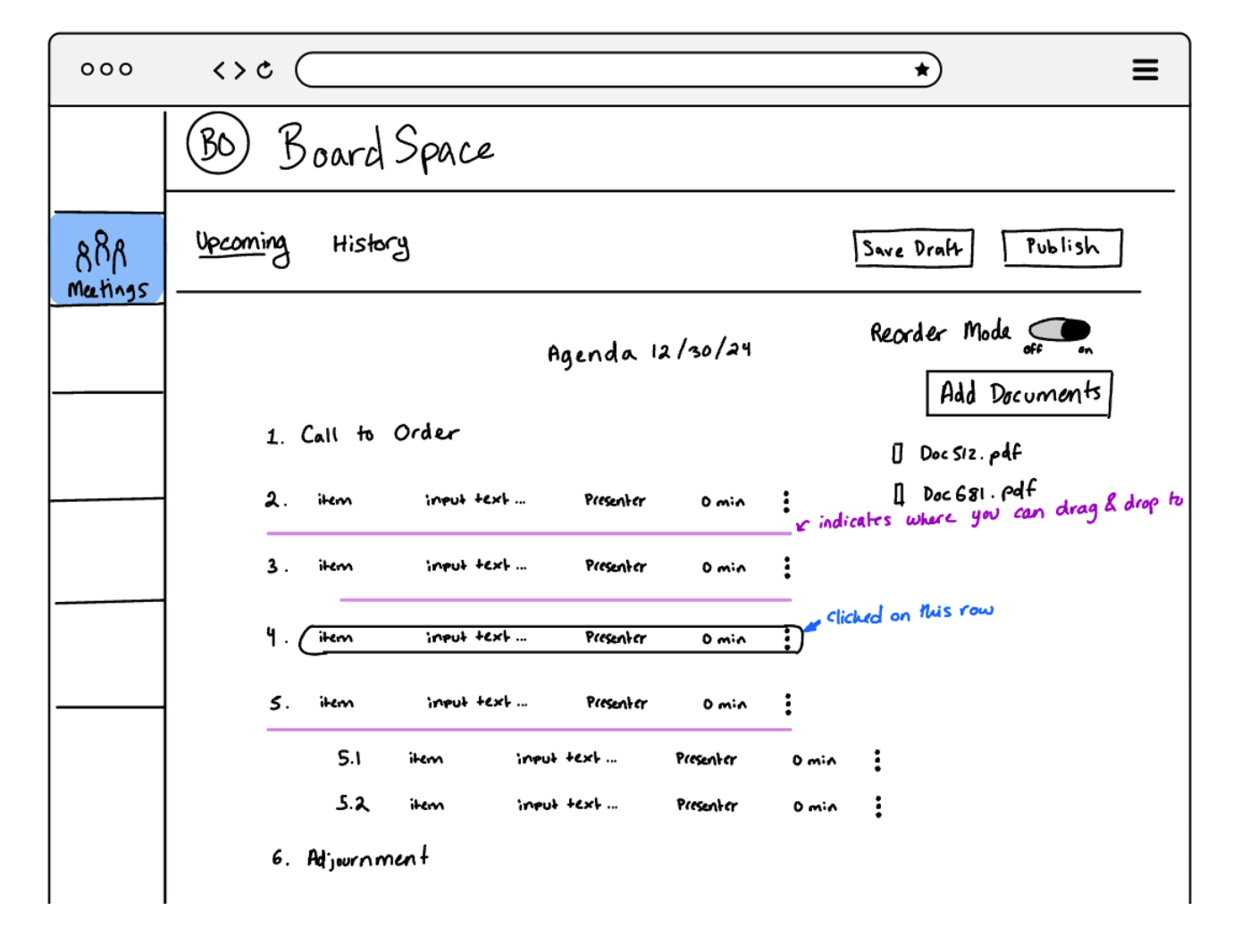
Redesigning drag-and-drop functionality
The best way to reorder items in the agenda builder tool was a major source of disagreement within the previous design team. Ideas for how to handle this problem included:
Option 1: Activate with Click
The drag and drop mode is activated by a toggle or button.
Option 2: Activate with Hold
The drag and drop mode is activated when you press and hold anywhere on the row you wish to move.
Option 3: No Activation Mode Needed
The “drag and drop” mode is always visible.
There are clear spaces dedicated for dragging a new item to.
Option 4: Up and Down Arrows
There are up and down arrows that can be pressed to move a row vertically.
They are constantly visible.
Option 5: Less Up and Down Arrows Visible
There are up and down arrows that can be pressed to move a row vertically.
When you click on a row, only the arrows for that row appear.
Option 6: Drop Down
The numbers have a dropdown where you can change their order positioning.
Thoughts and Brainstorms
Items should be able to move up, down, and to the sides. For example, item 3 can be indented under item 2 in order to become item 2.1 in the agenda.
As items get moved around, the numbering should change accordingly. If item 3 gets moved down one it becomes number 4 in the agenda.
There should be a way to remove the numbering on one or all of the rows.
There needs to be a way to add items to the list. Where would that functionality be placed and how would it work in order to get an item exactly where they want it?
There also needs to be a way for documents to be placed within an item in the agenda.
Collapsing Sub Items: Once drag-and-drop mode is activated, when you press on an item in the list, all of its sub items collapse to make it one line.
3. Design
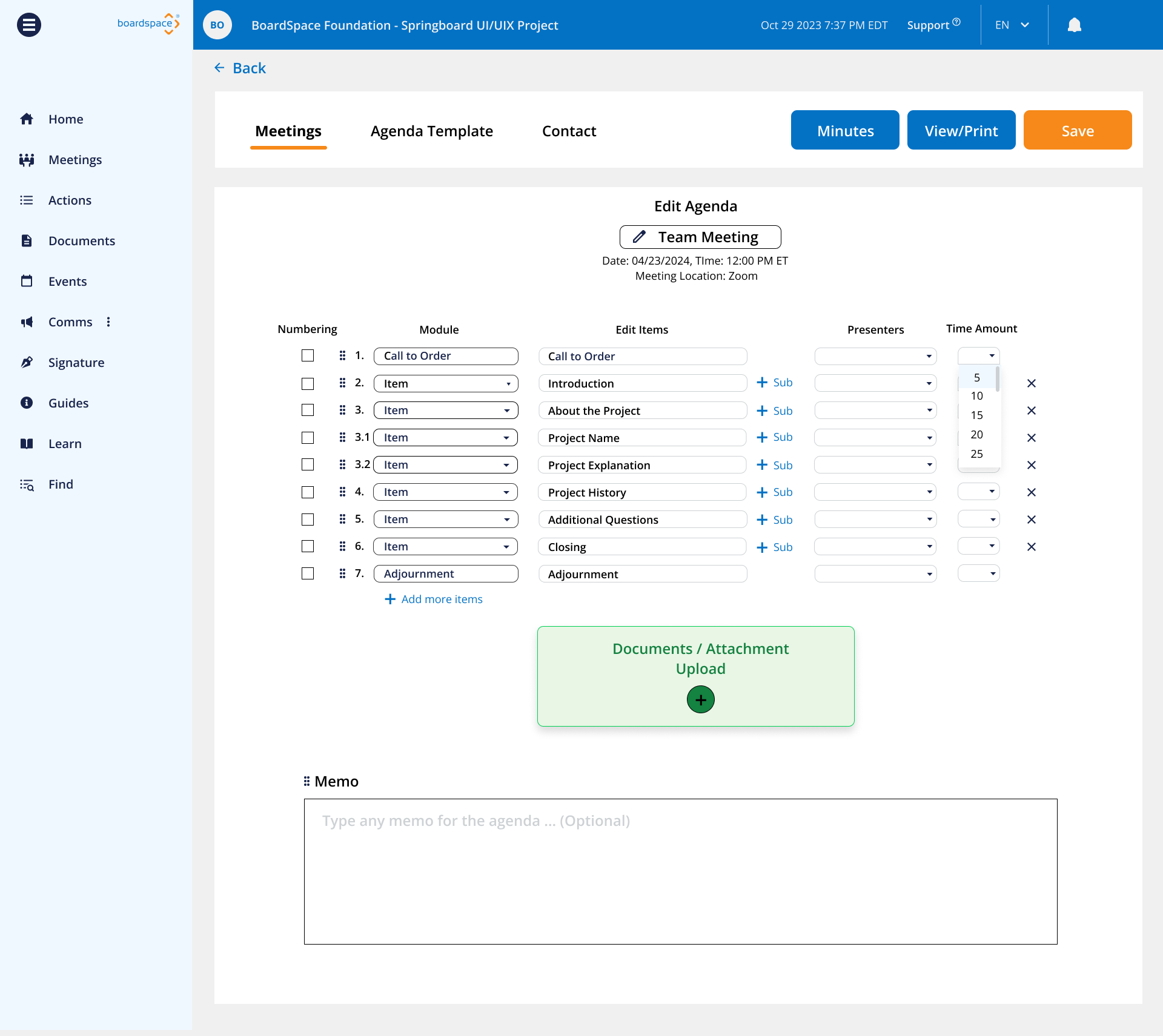
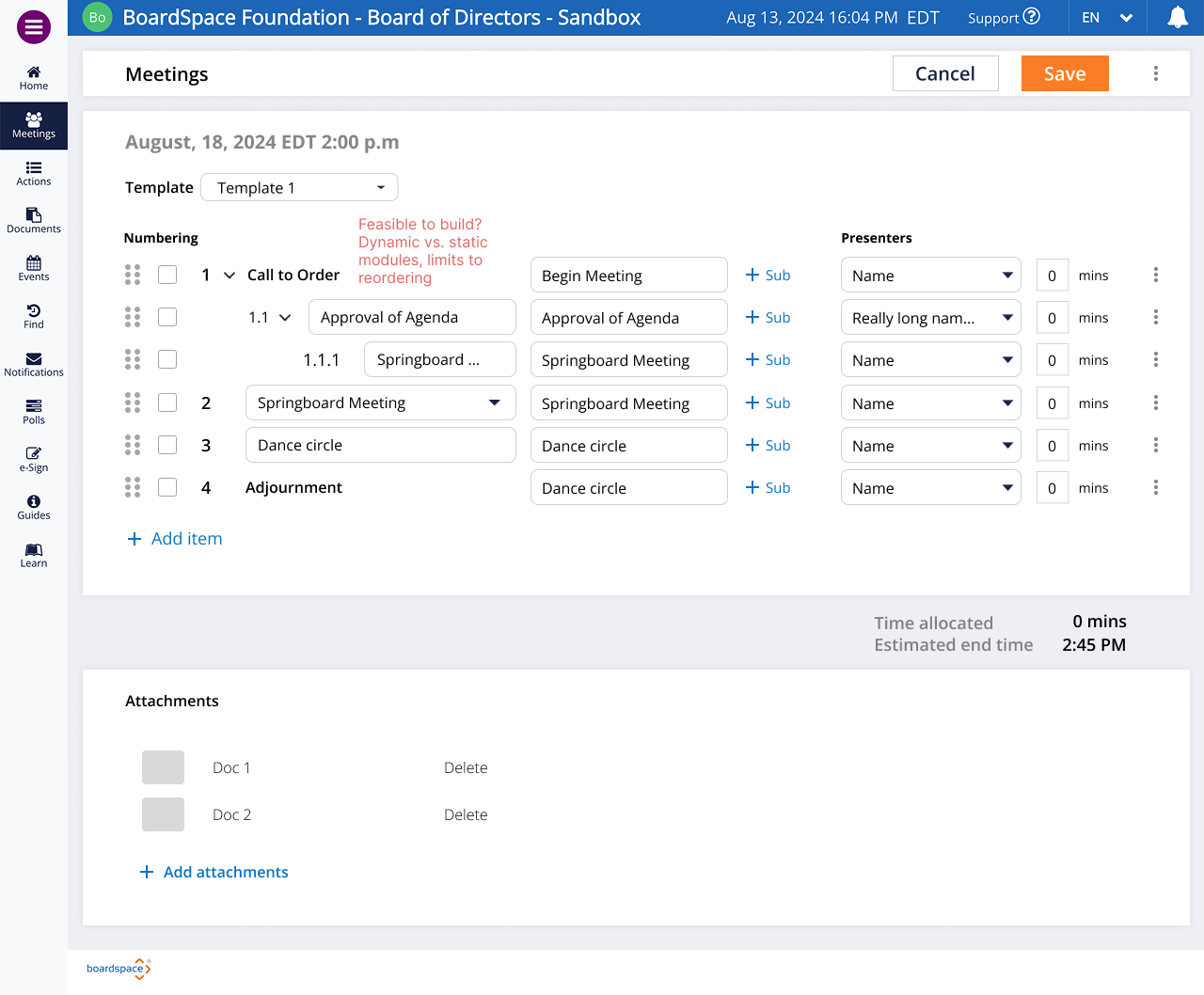
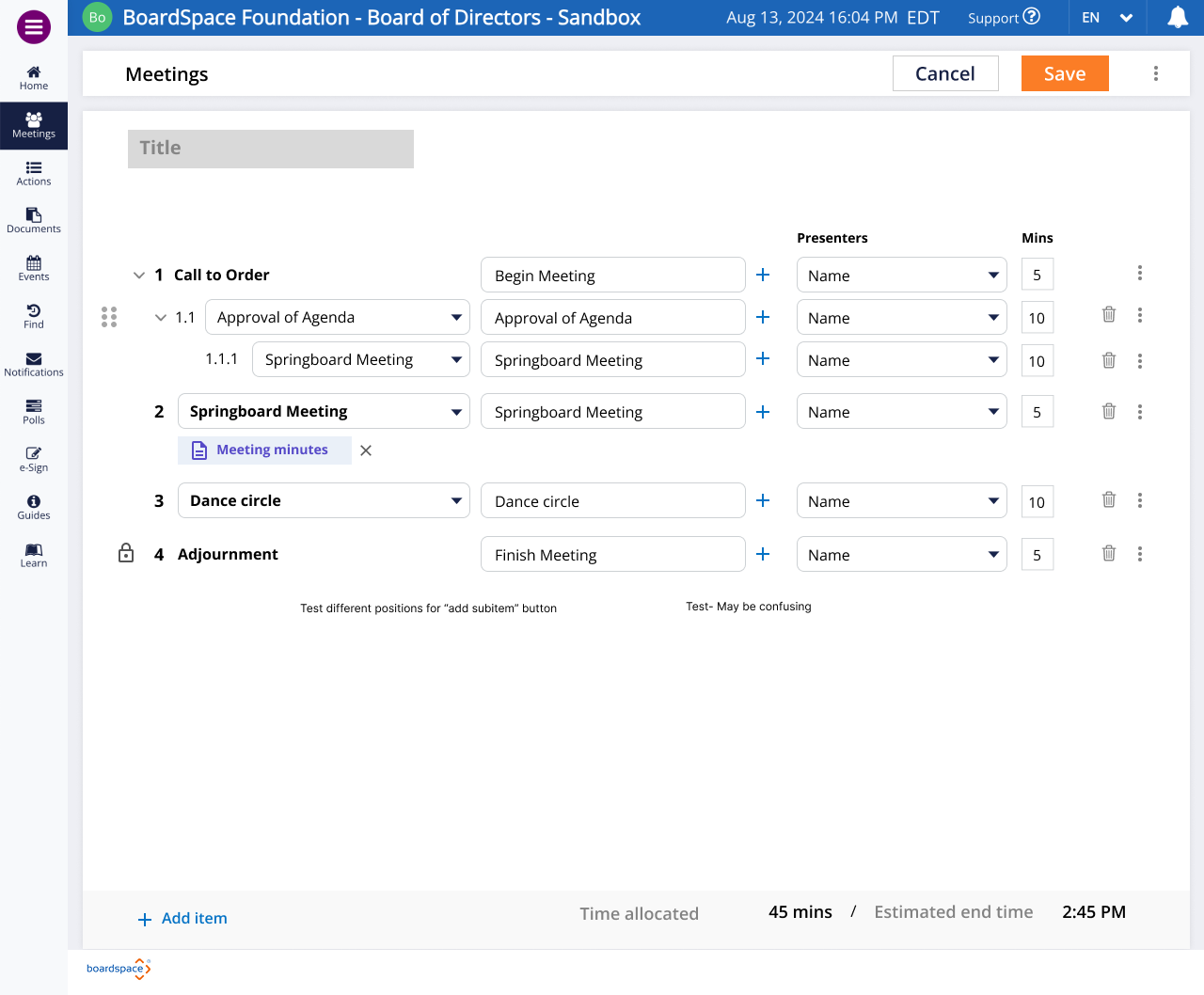
First Pass: Wireframes 1.0
Drag-and-drop
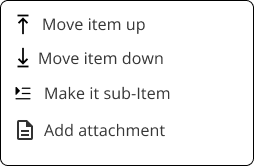
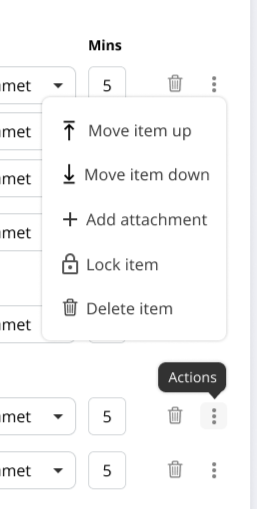
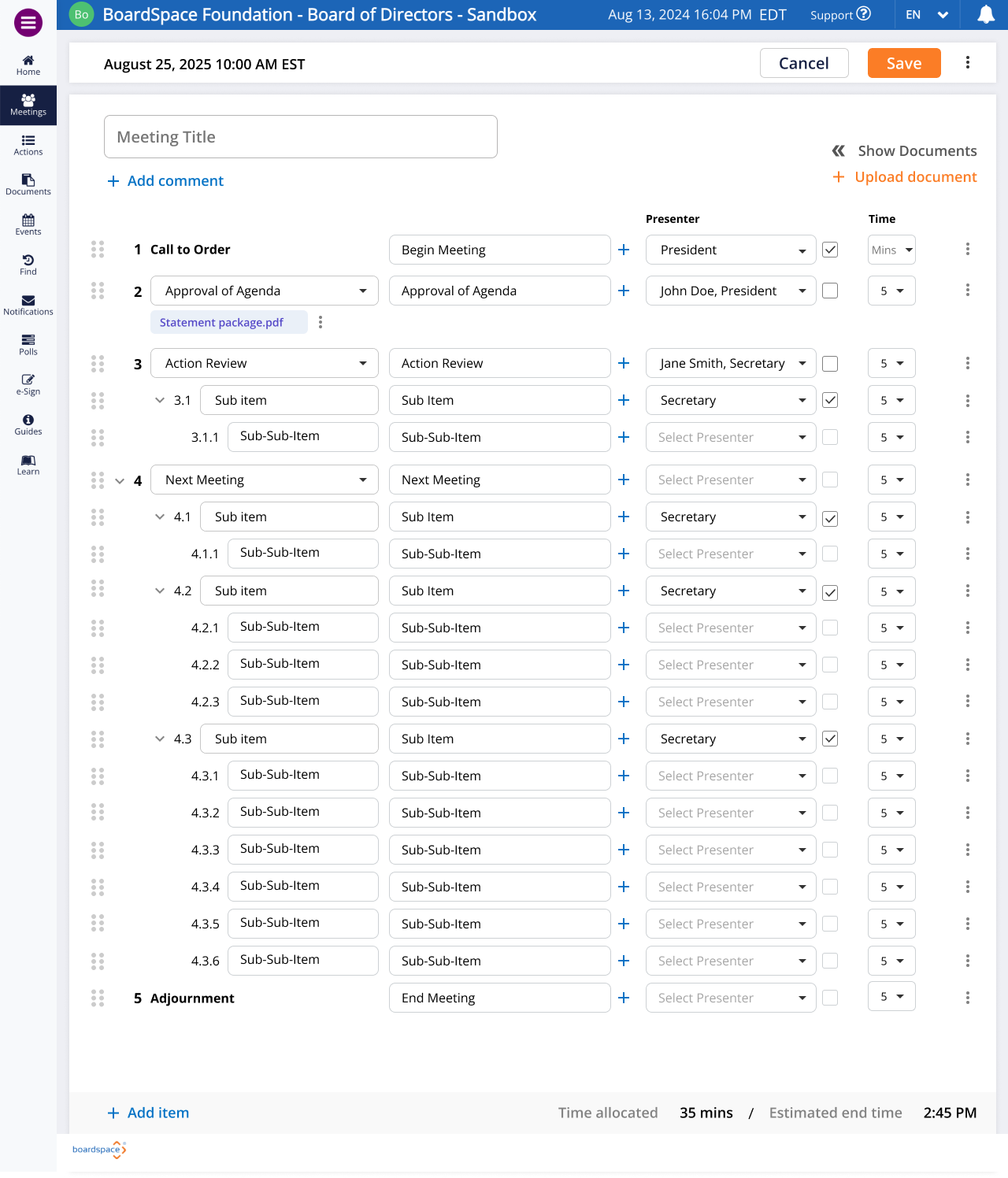
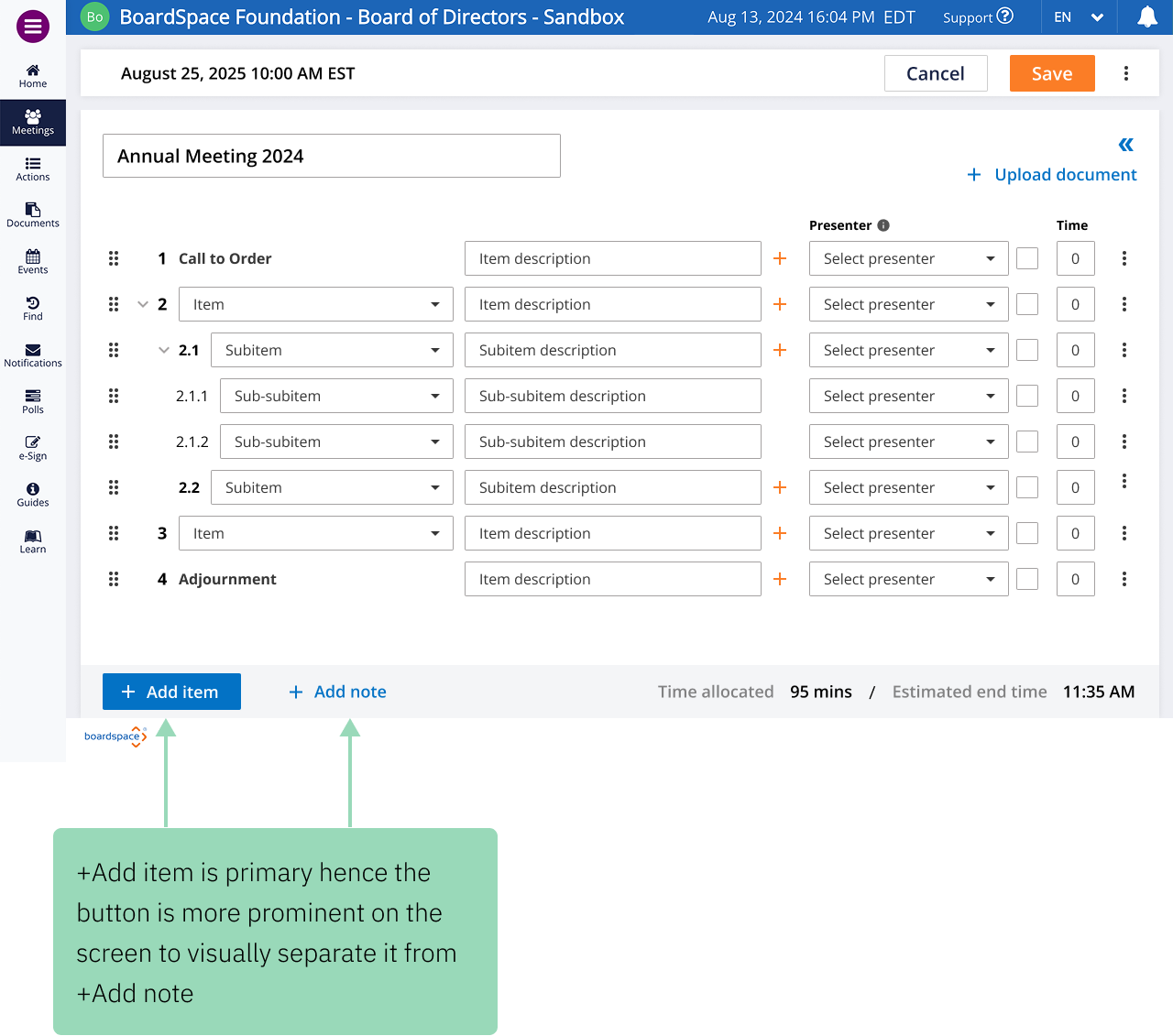
Up/down arrows could be put inside an ellipses menu for optional use, ie. If the user is motor impaired.
Collapsible sub-item lists [ex. Item 1 - Item 1.1 +3 more (expand ->) Item 1.2.1 +3 more (expand ->) Item 1.2.1, Item 1.2.2, etc].
Indentation to organize sub-items.
Documents could be listed at the bottom of the interface,
OR, documents could be attached to specific items, with or without list.
Document Managment

Questions
How would sub-items interact with the up/down buttons?
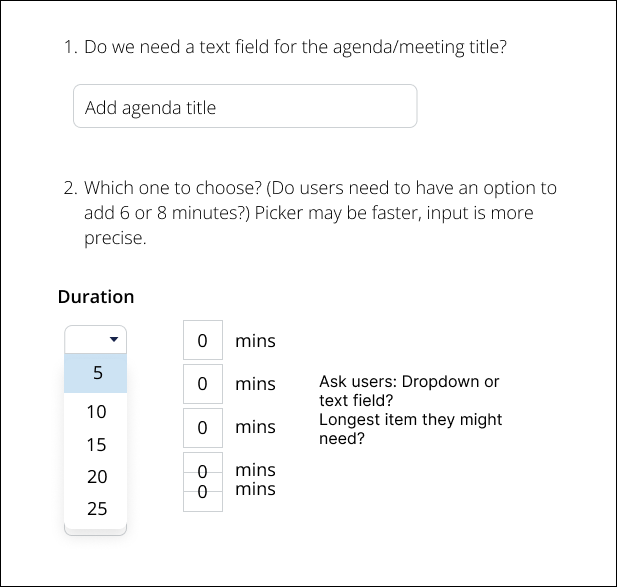
Do we need a text field for the agenda/meeting title?
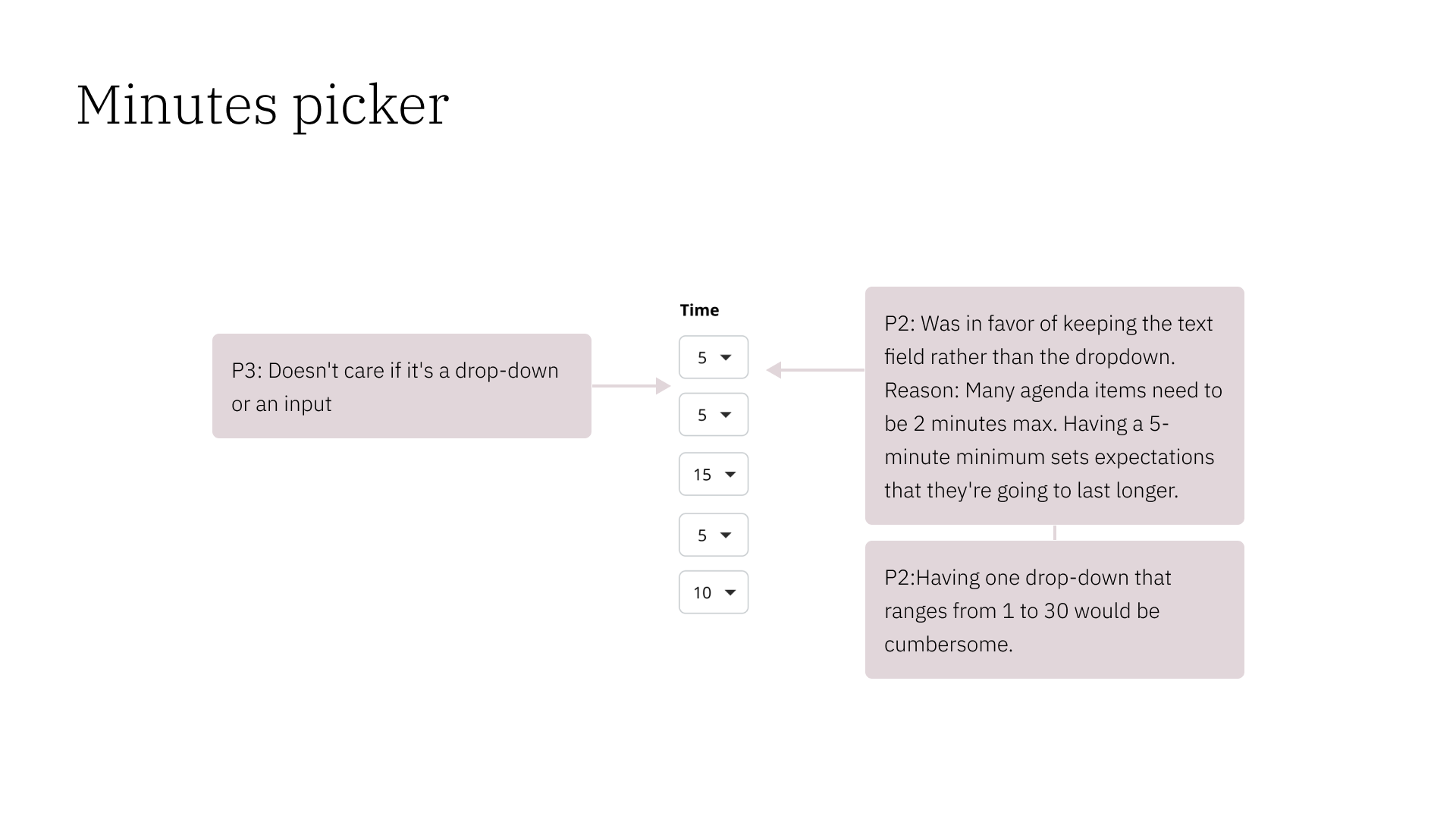
Should the field for setting item time limits be an input or a dropdown menu?
A dropdown may be faster, but an input is more precise.
What is the longest time that would be needed?
Feedback and Revisions
Drag and drop
Comments
Notes
Up/down option in a menu may be difficult to program?
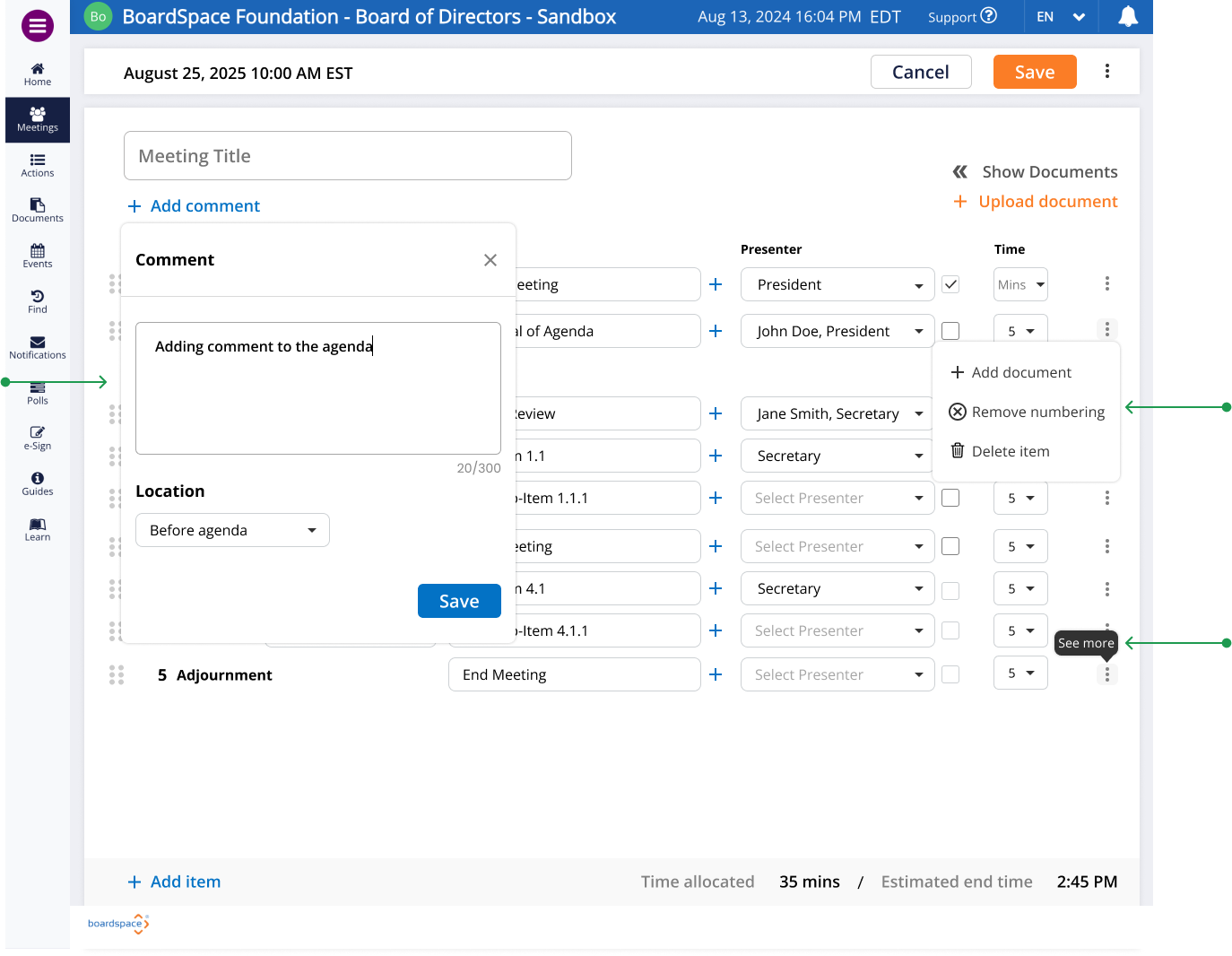
Ellipses menus would need to stay open
No invisible buttons !!
Hover states and tooltips coming soon
Notes
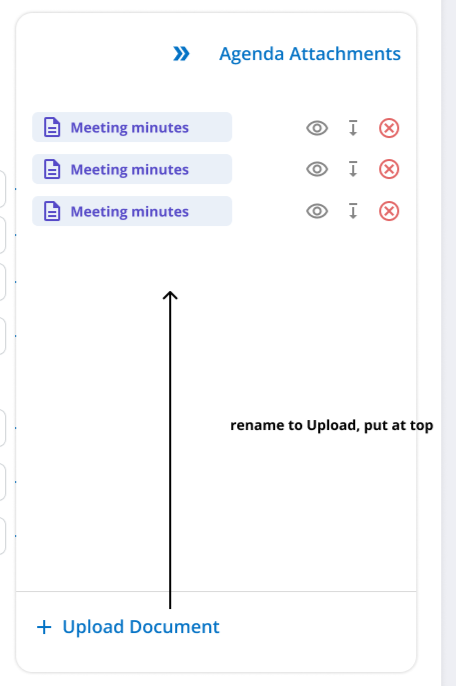
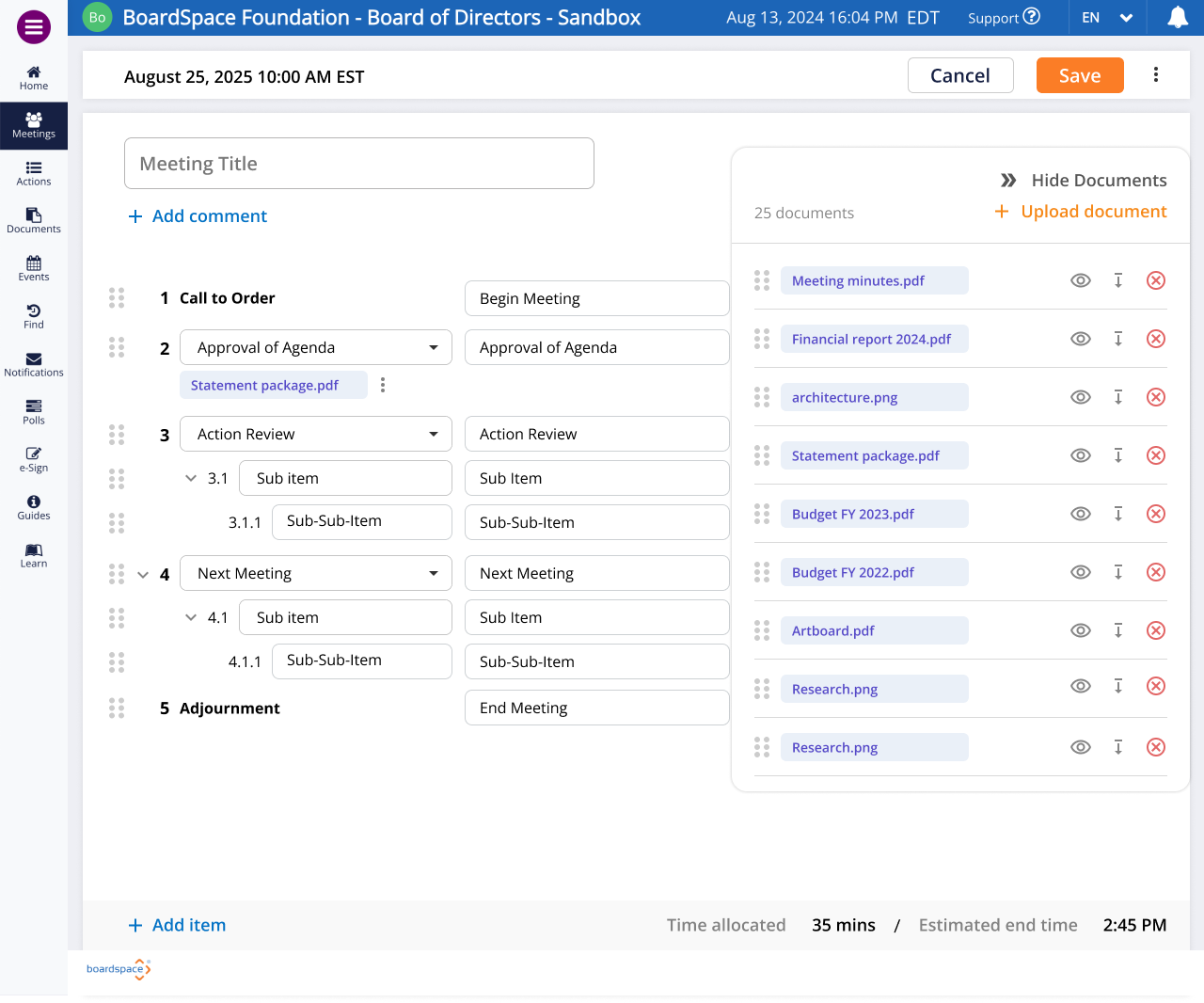
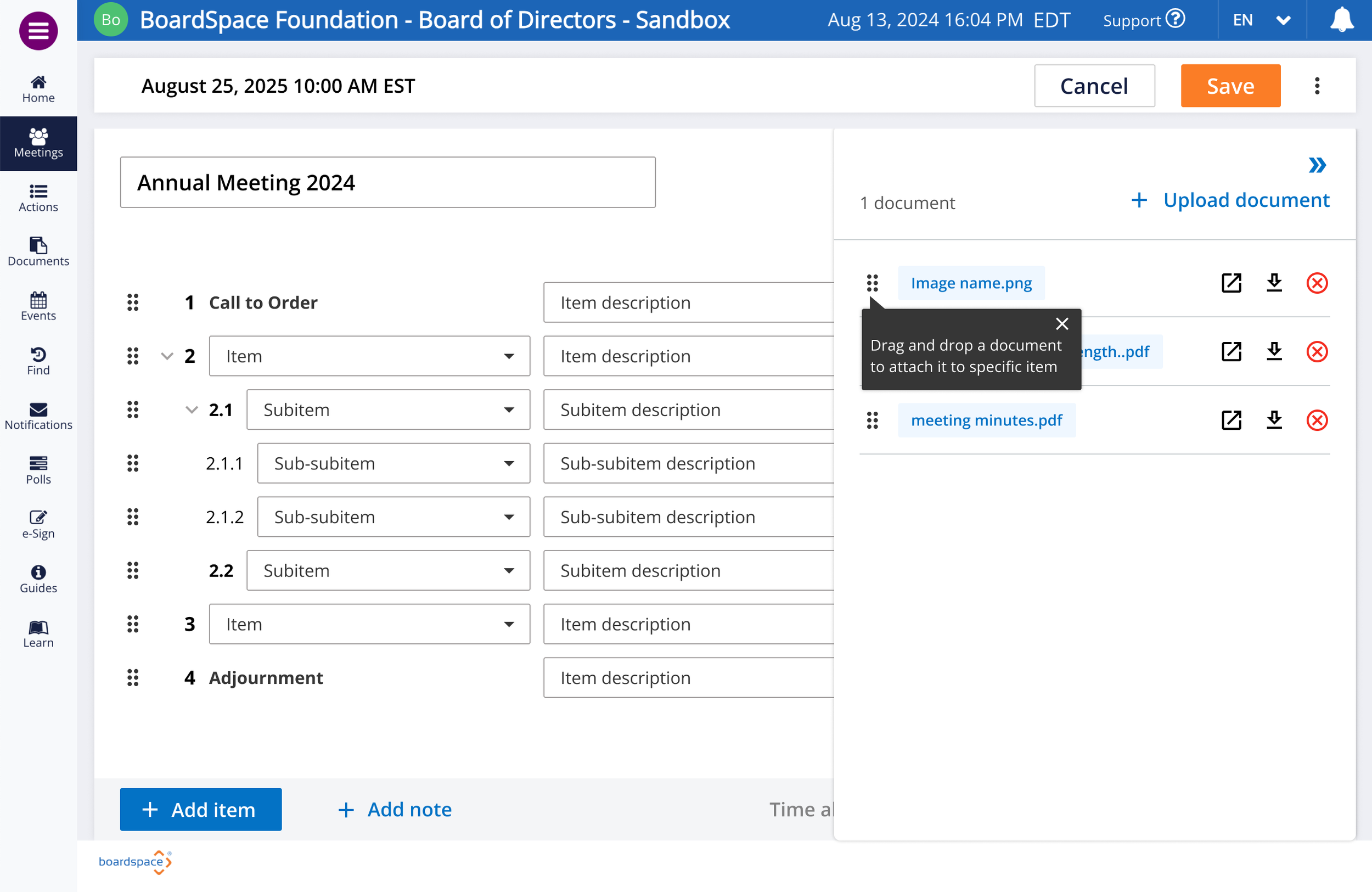
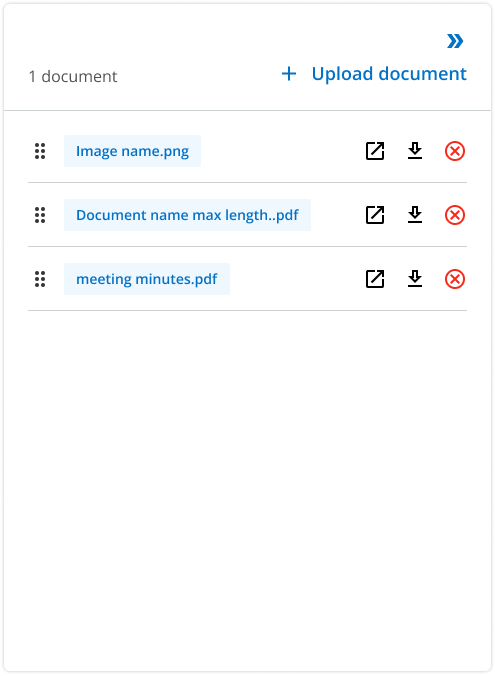
Documents: preview, download, add, remove
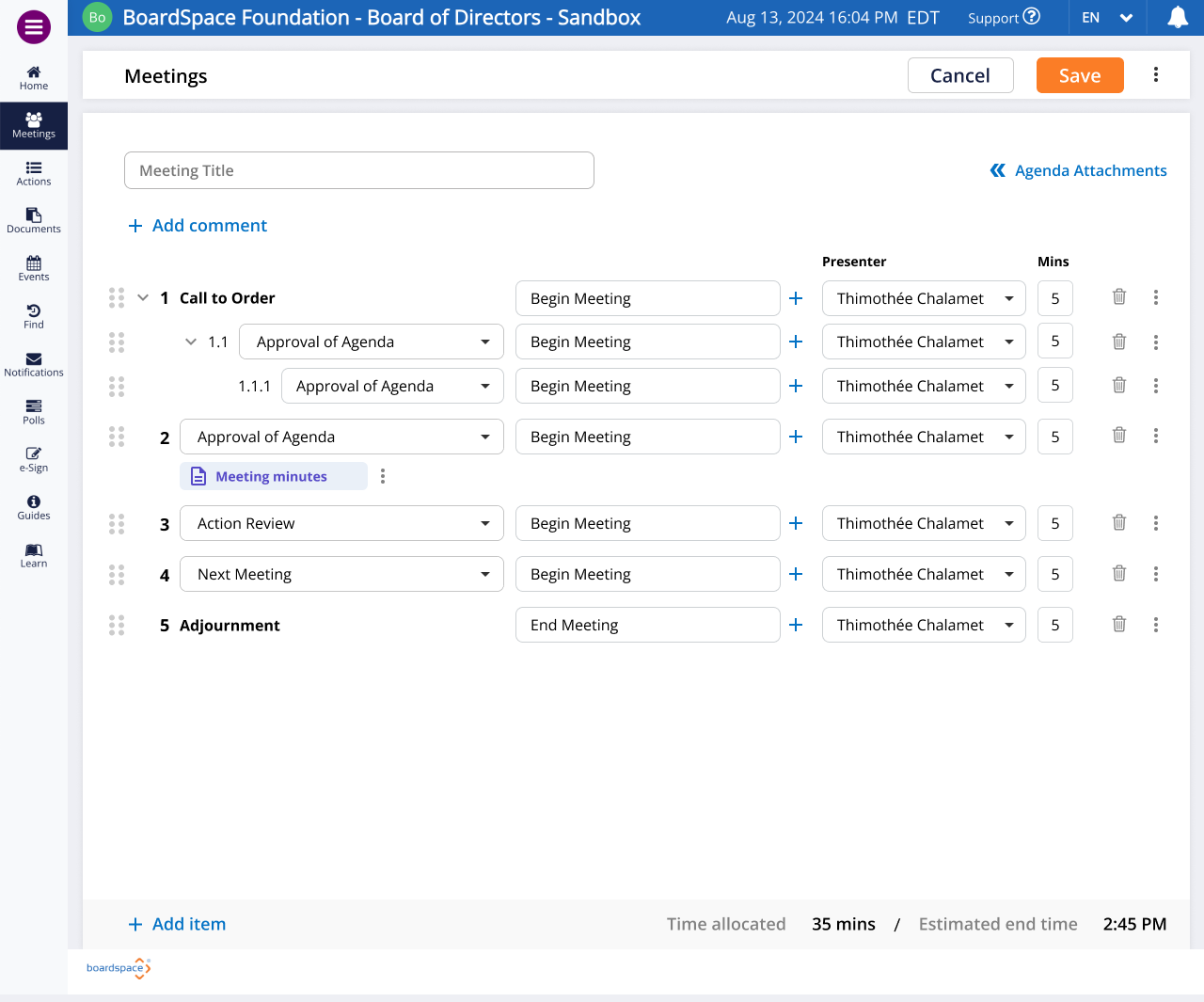
Attachments can’t be at bottom of the screen- Once they scroll away, they’ll be gone. Could be on the right hand side?
Find place for agenda attachments (possible solution right-sided sheet)
Notes
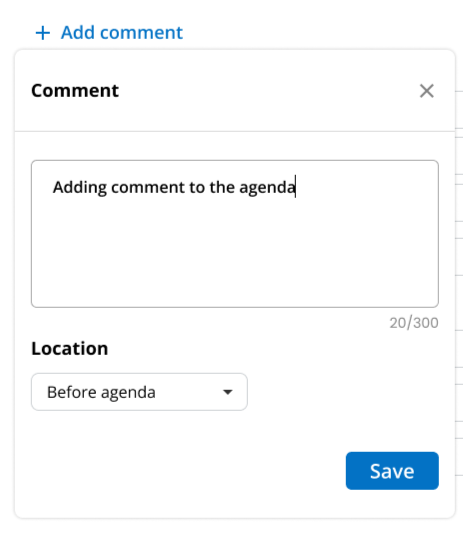
Ability to add comments (Prayer, message, etc.)
Text field, but not part of the agenda. Longer text, paragraph
Should be able to drag anywhere (at least between items)
Can’t add subitems to comments
Document managment
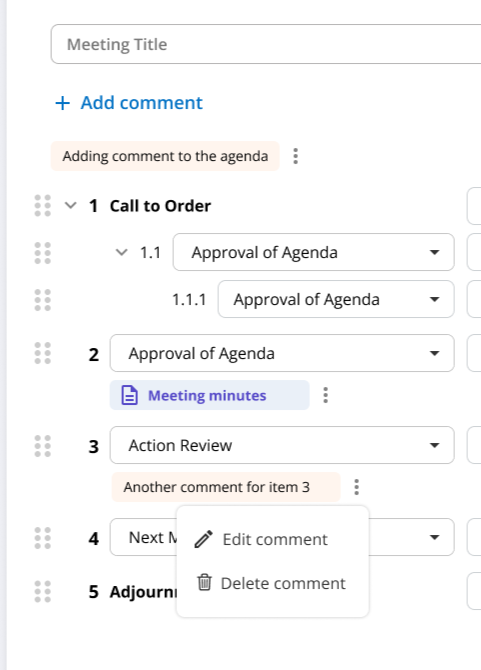
Edge states, hover states, and tooltips
Edge States
Notes
Eliminate up/down function — Too difficult to program in conjunction with drag-and-drop
“See more” instead of “Actions”
Notes
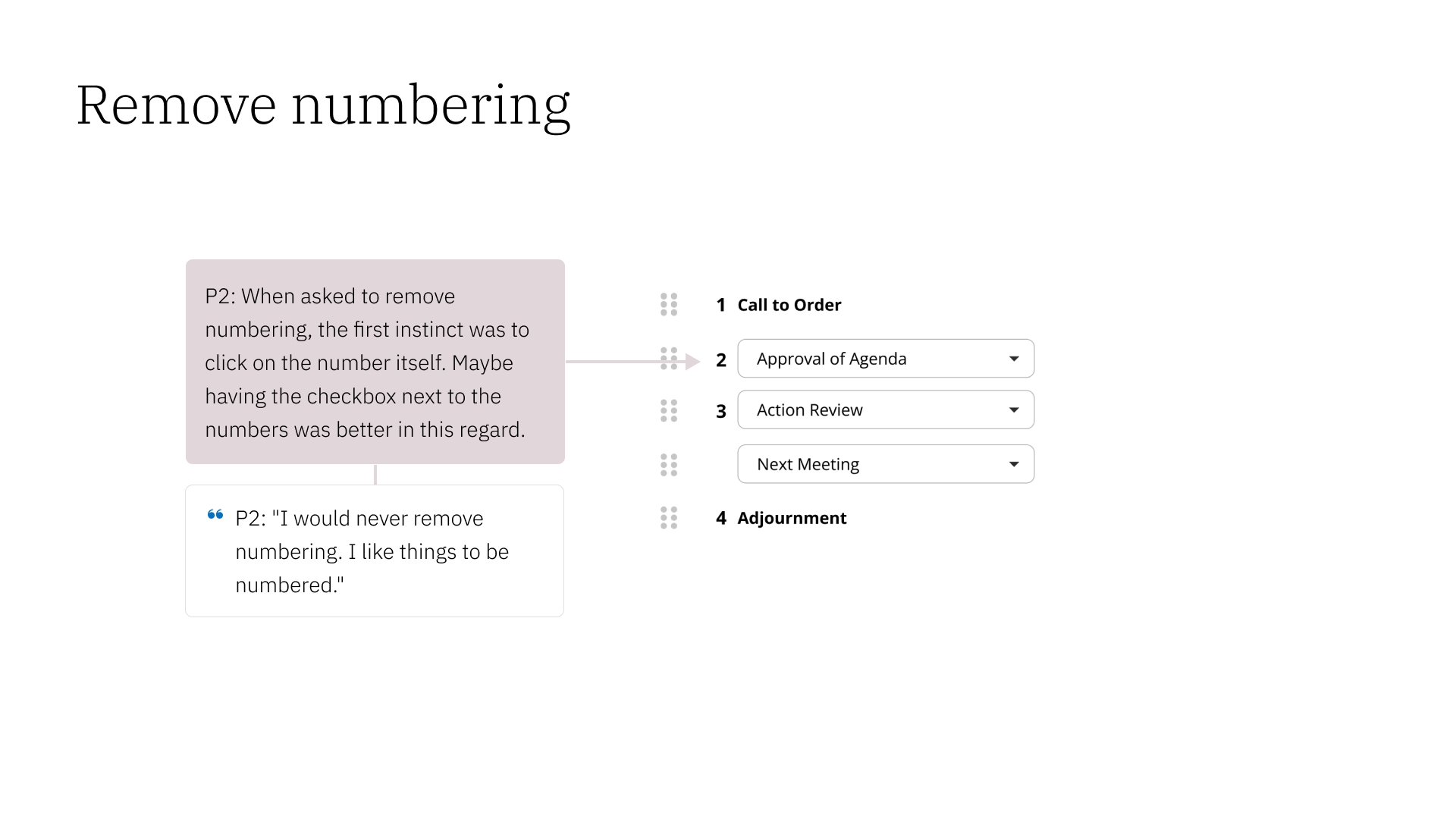
Add “remove numbering” option: Not all agenda items may need to be numbered
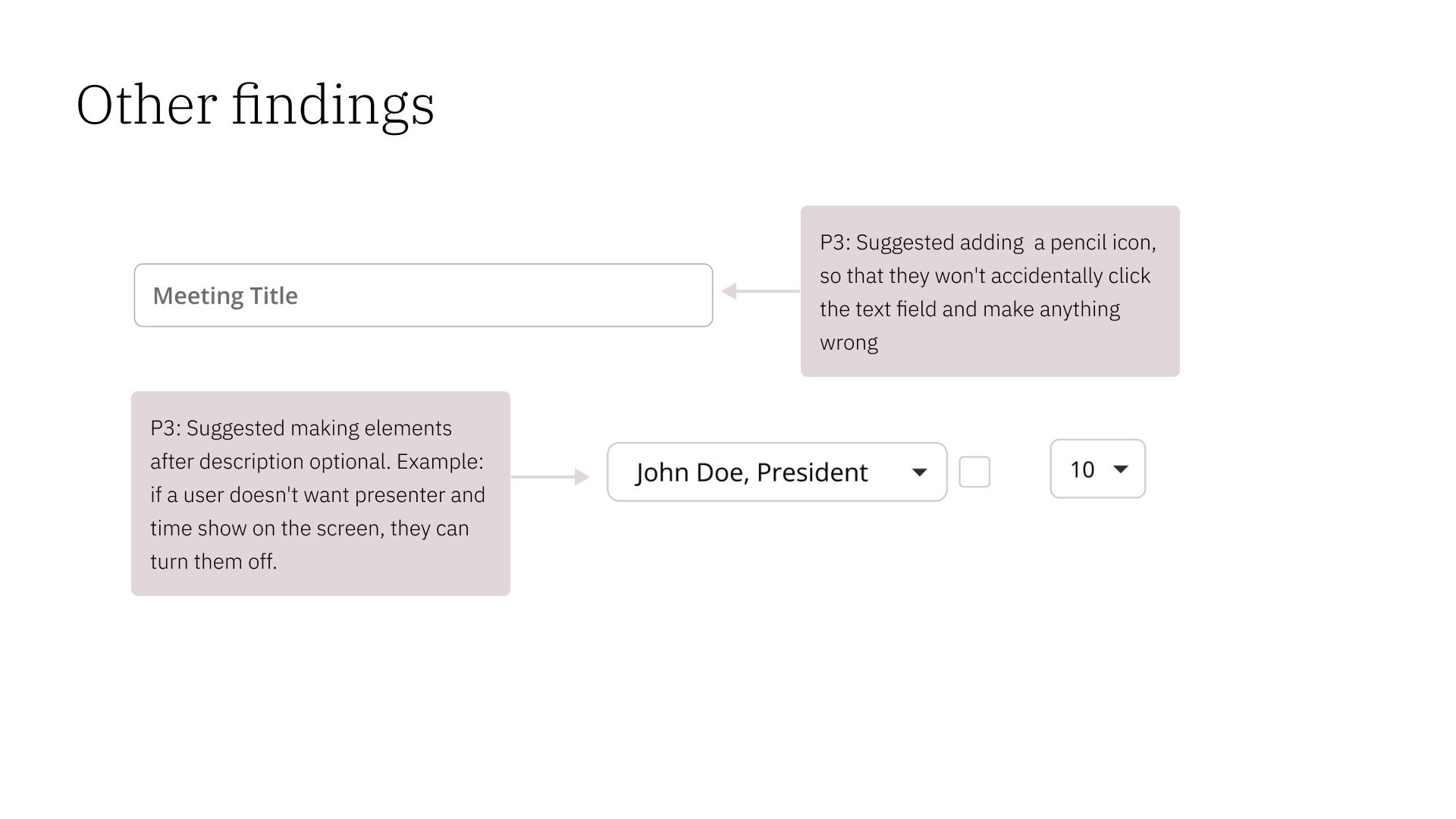
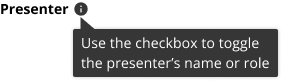
Add checkbox to add/remove names of presenters
Make agenda item with at least 10 subitems
Other functions
Notes
No need for “lock items” function
“Add document” moves to the top of the page
Test drop-down for time
Include date and time for the agenda
Hover states and tooltips
4. Prototype
5. Test
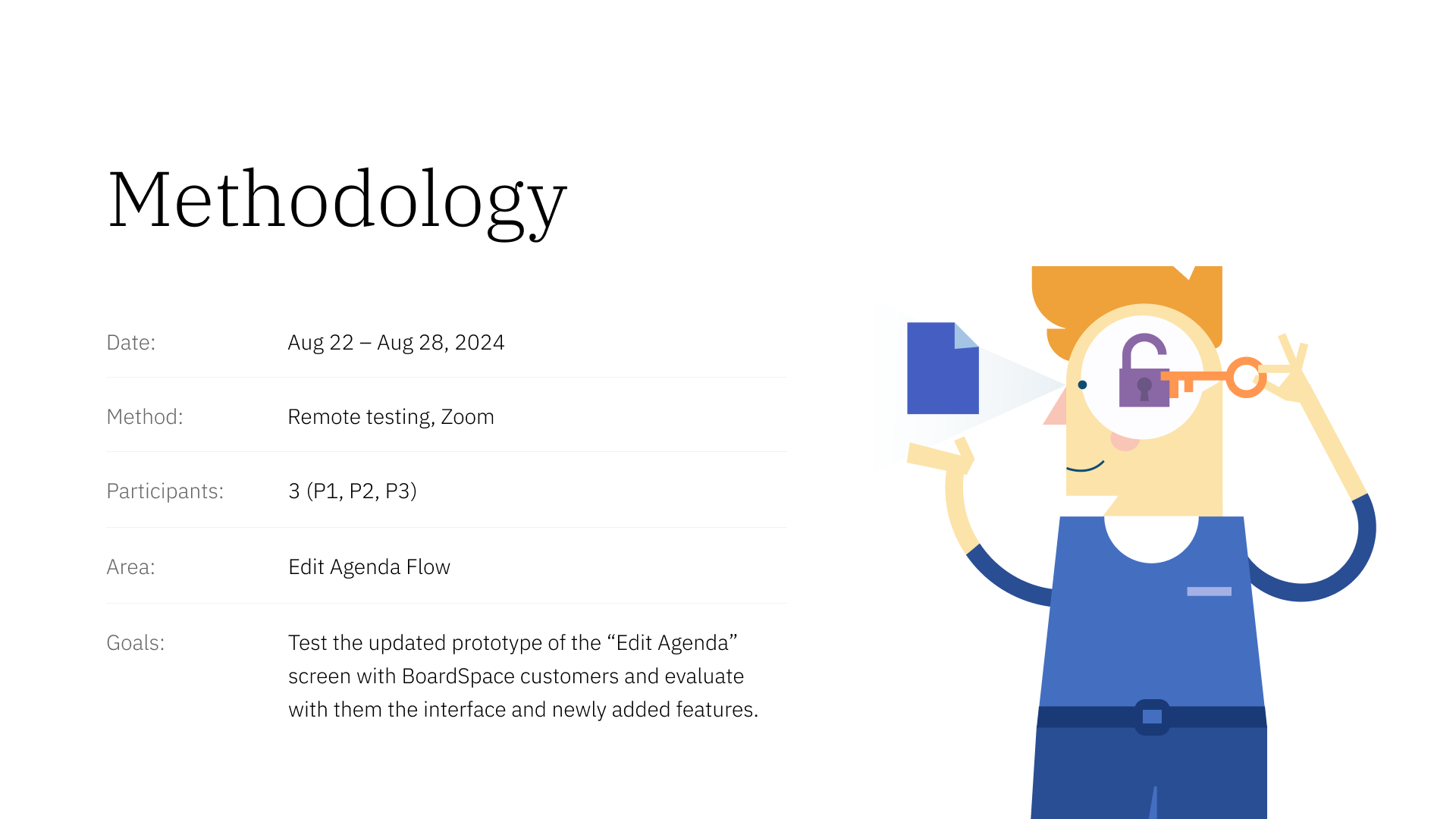
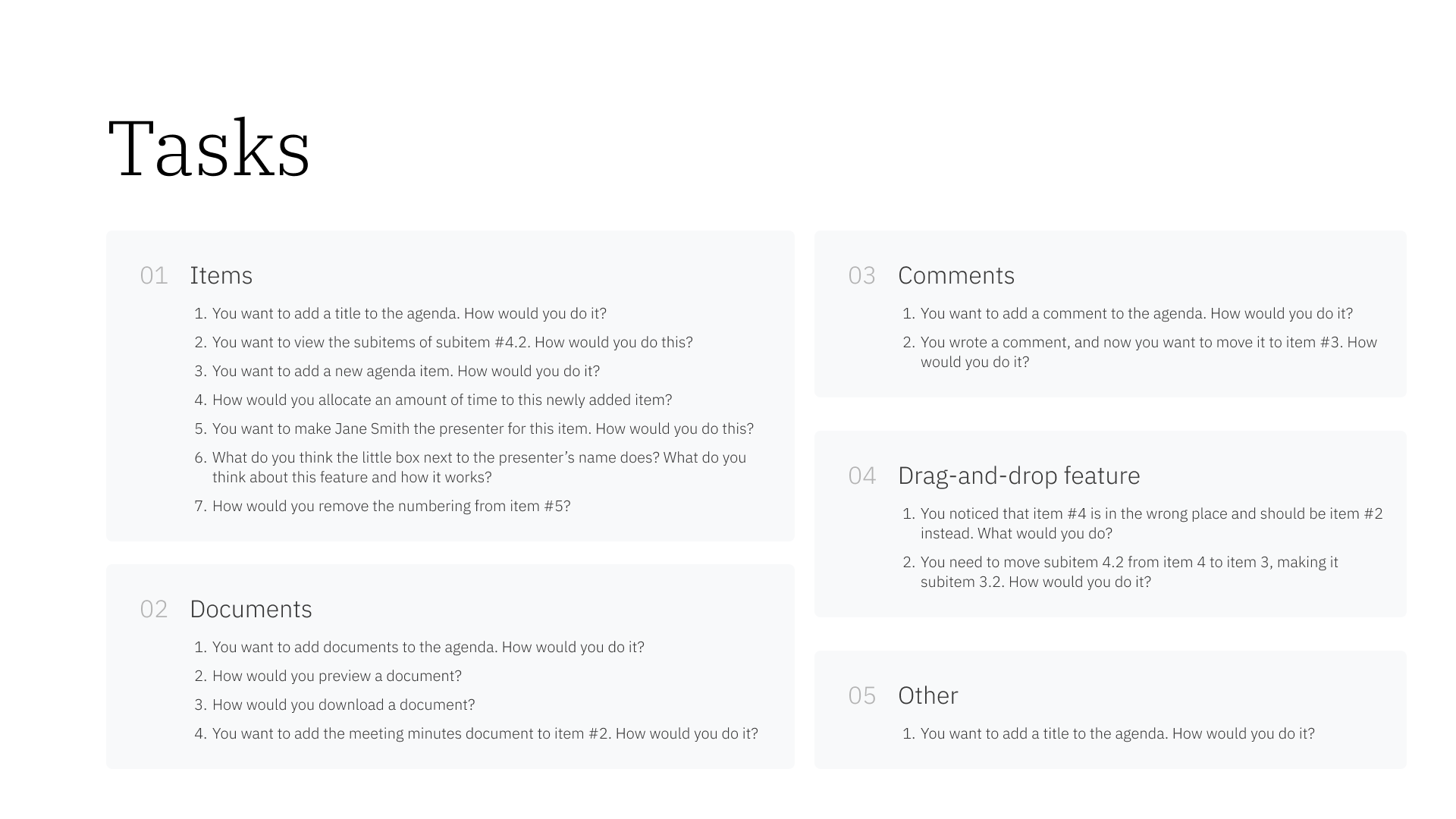
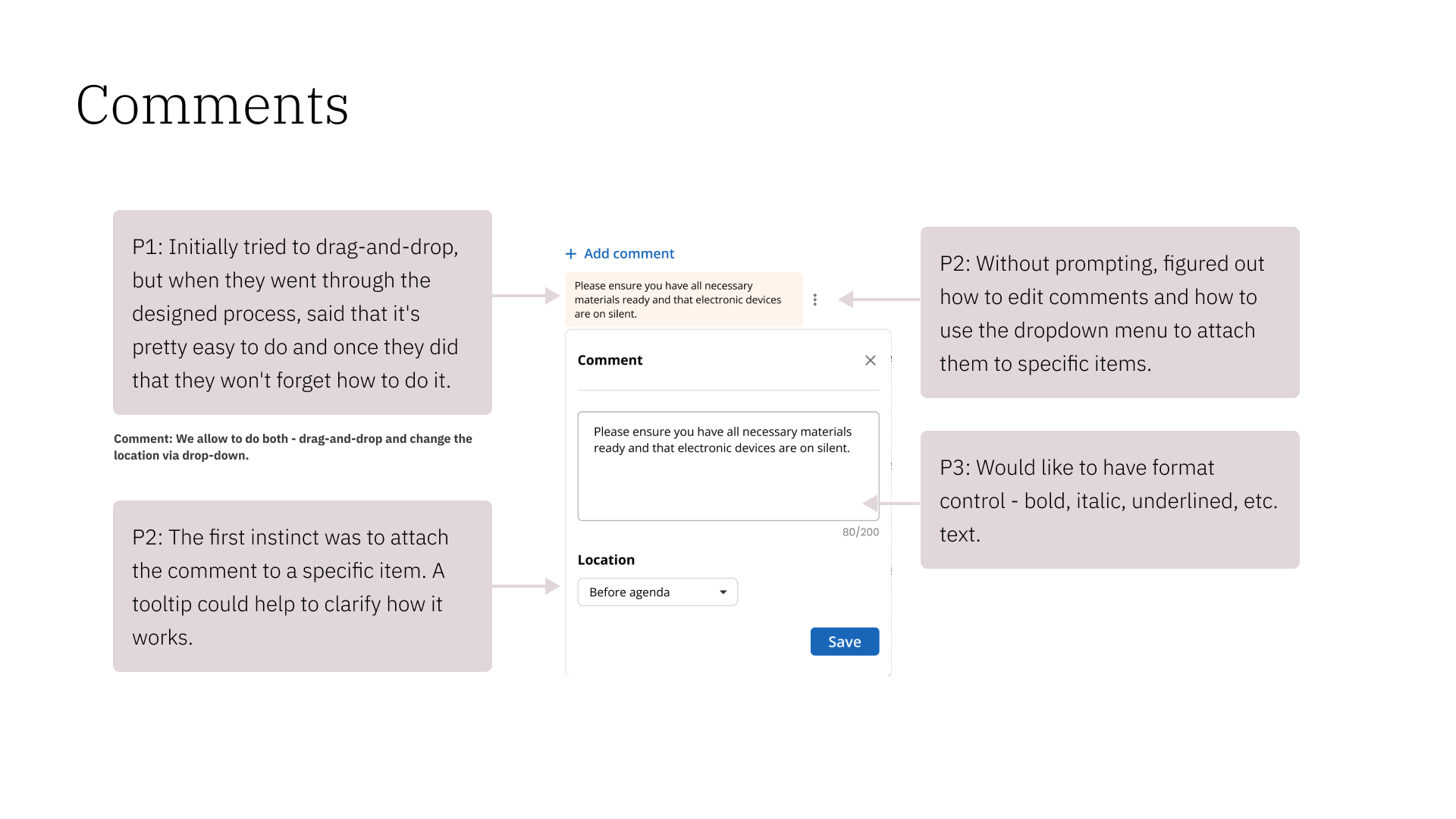
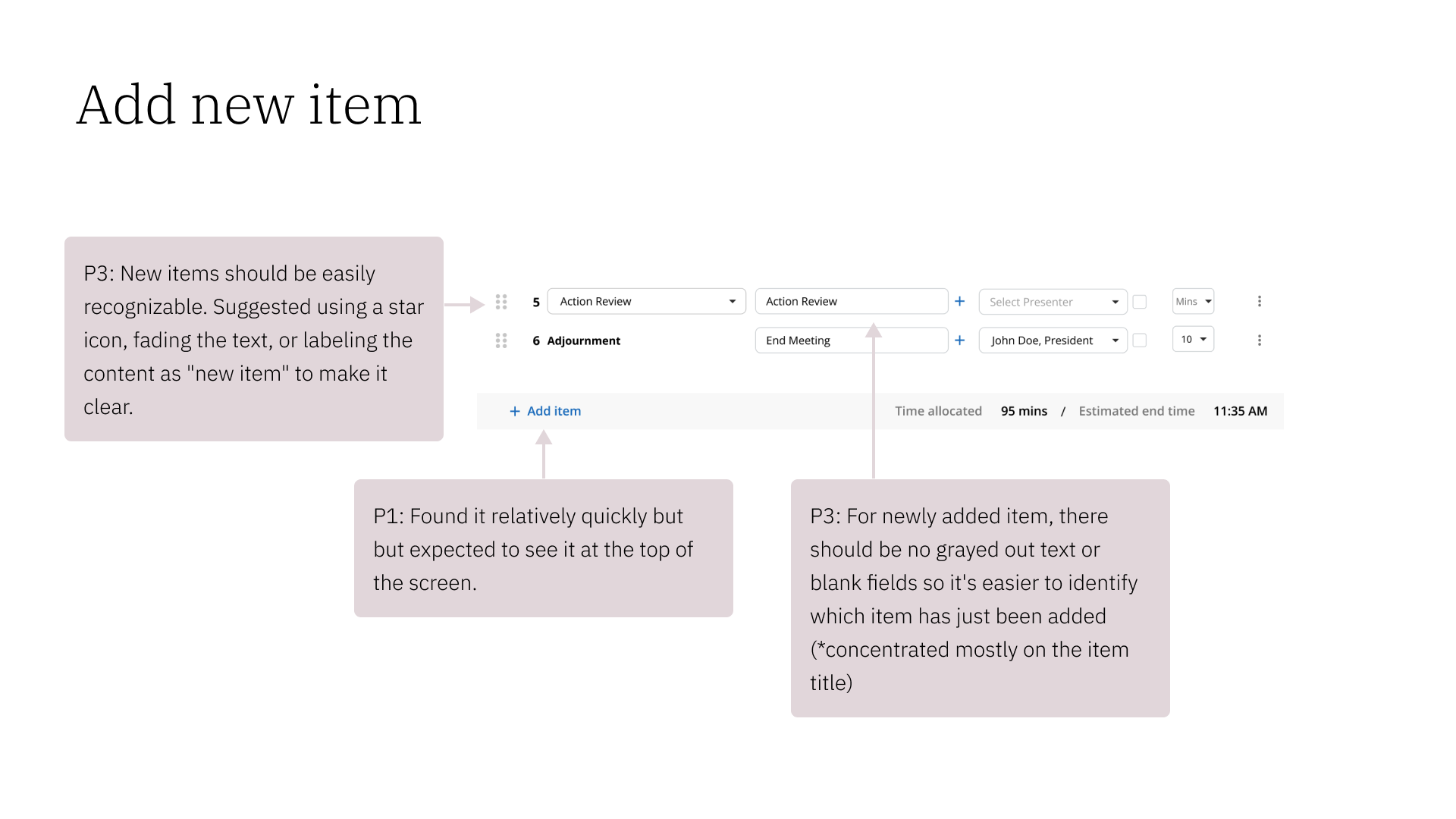
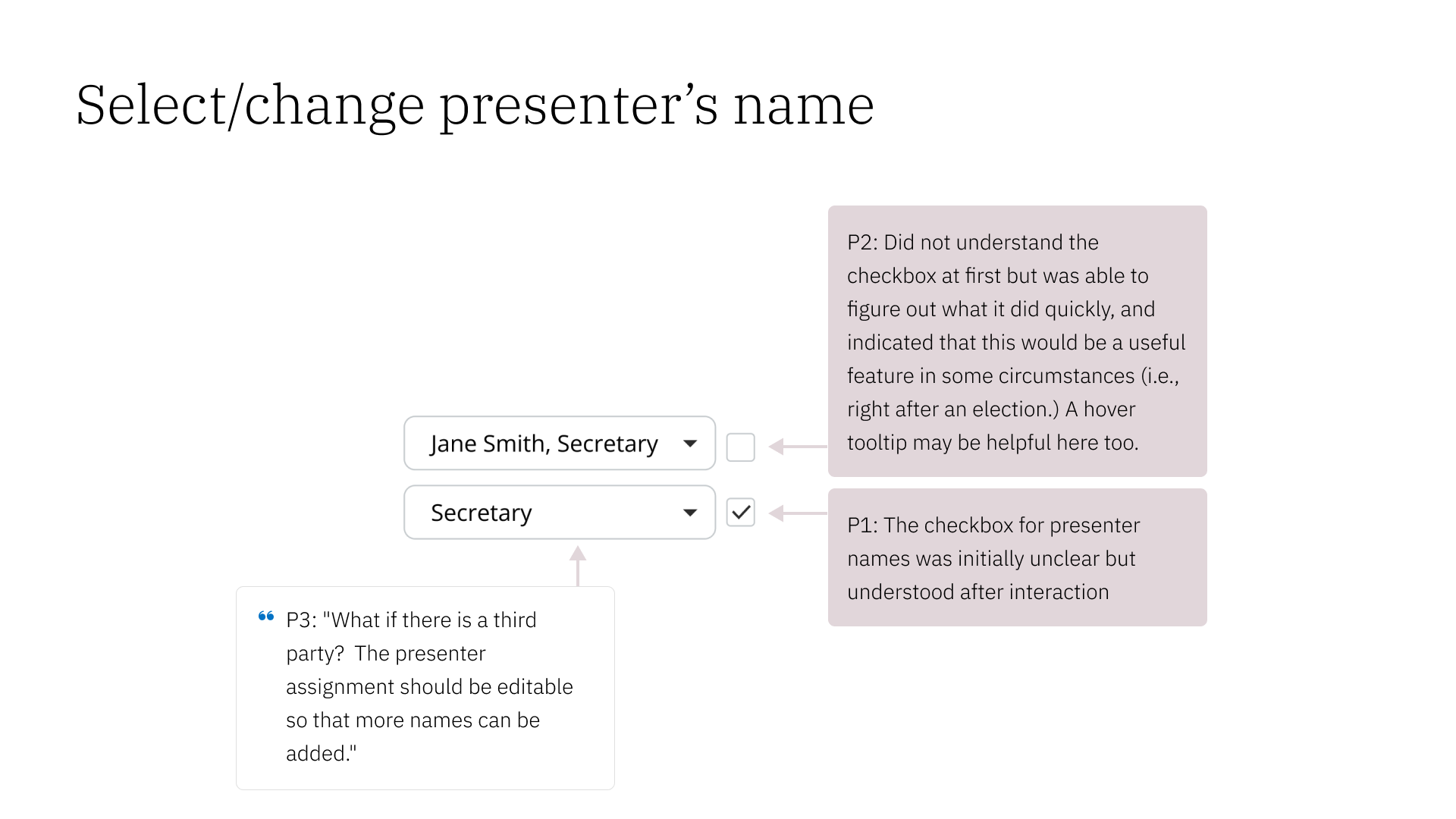
Testing was conducted over Zoom using interactive Figma prototypes. See the slide deck below for detailed notes and findings.
Participants: 3 (P1, P2, P3). Existing Boardspace clients aged 50-80.
Duration: Approx. 30 mins
Date: Aug. 22 - 28, 2024
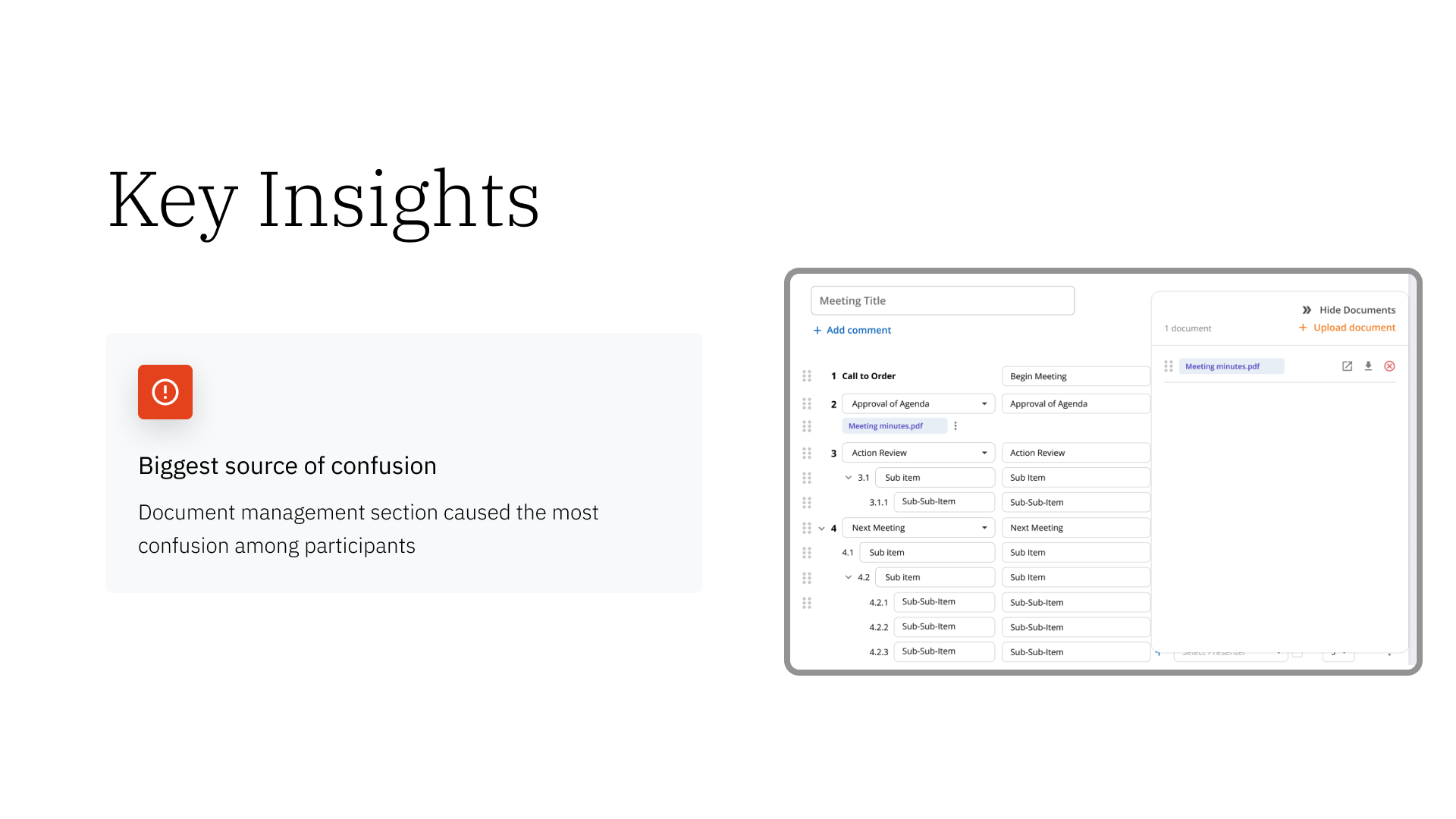
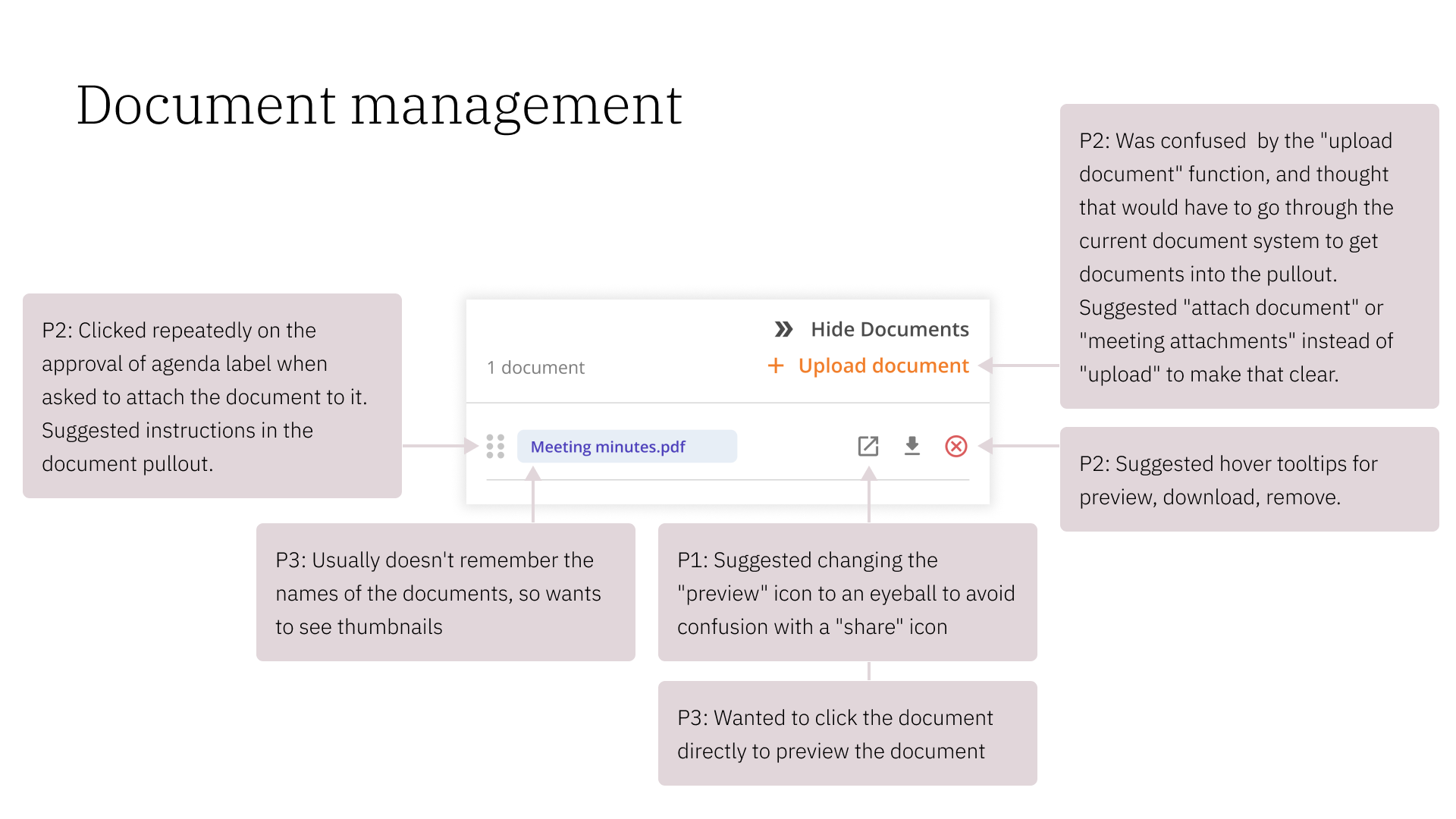
Document management section was difficult to figure out for all 3 participants.
More instructions and tooltips would make the user experience smoother.
General Feedback
Key Findings
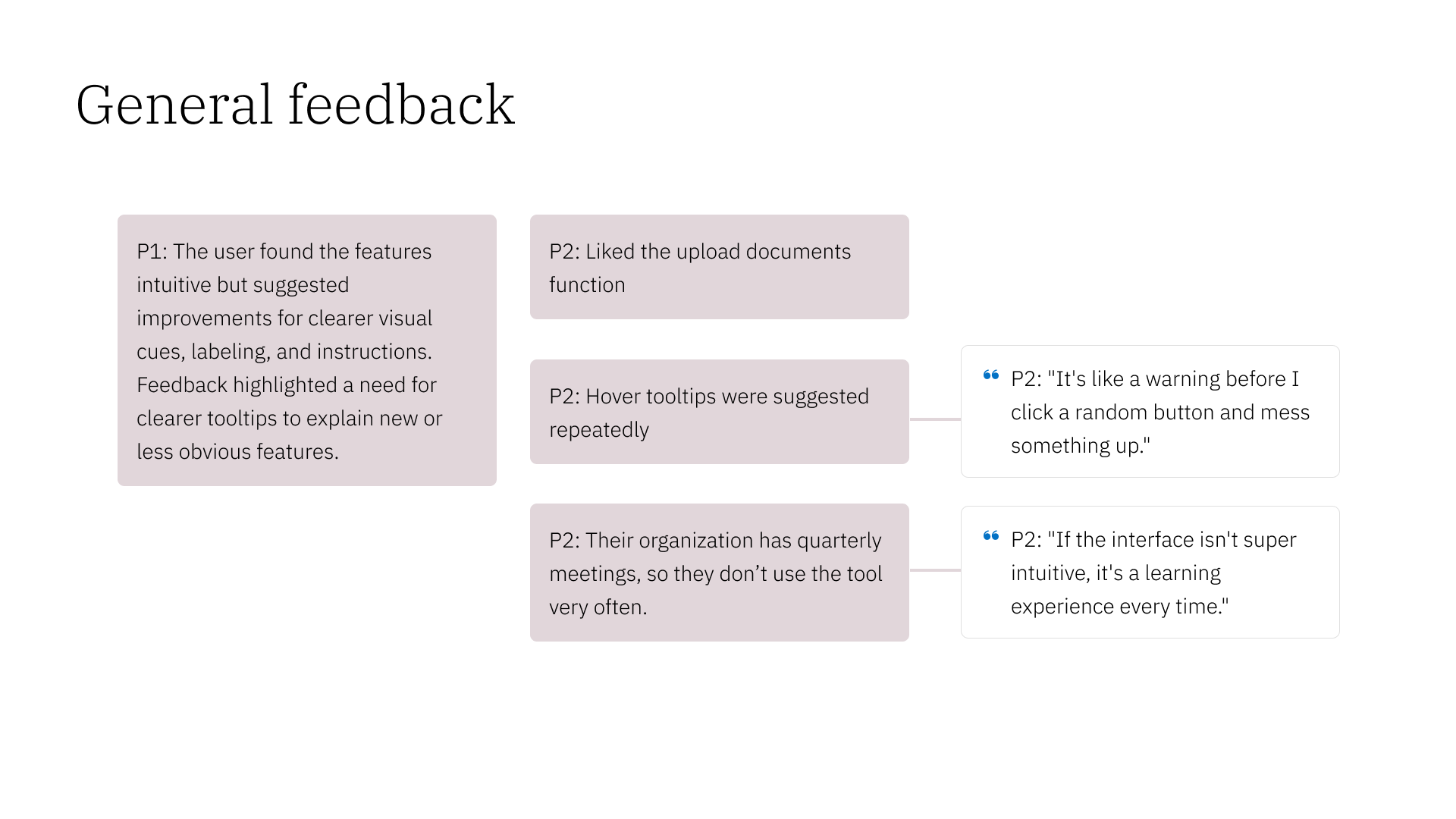
Participants found the features intuitive but suggested improvements for clearer visual cues, labeling, and instructions. Feedback highlighted a need for tooltips to explain new or less obvious features.
“[Hover tooltips are] like a warning before I click a random button and mess something up.” - P2
Participant 2 noted that their organization has quarterly meetings, so they don’t use the tool very often.
“If the interface isn’t super intuitive, it’s a learning experience every time.” - P2
Recommendations
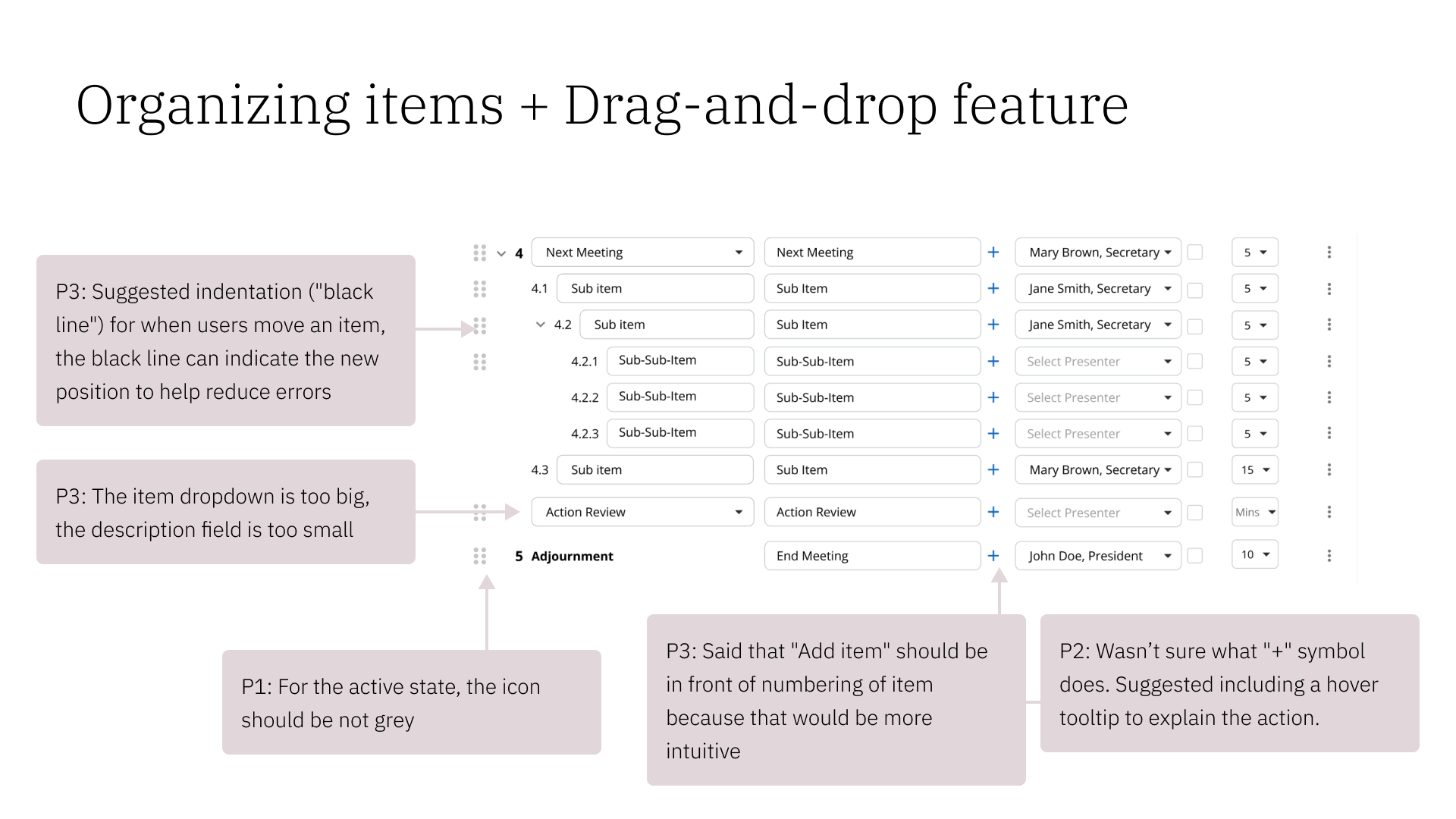
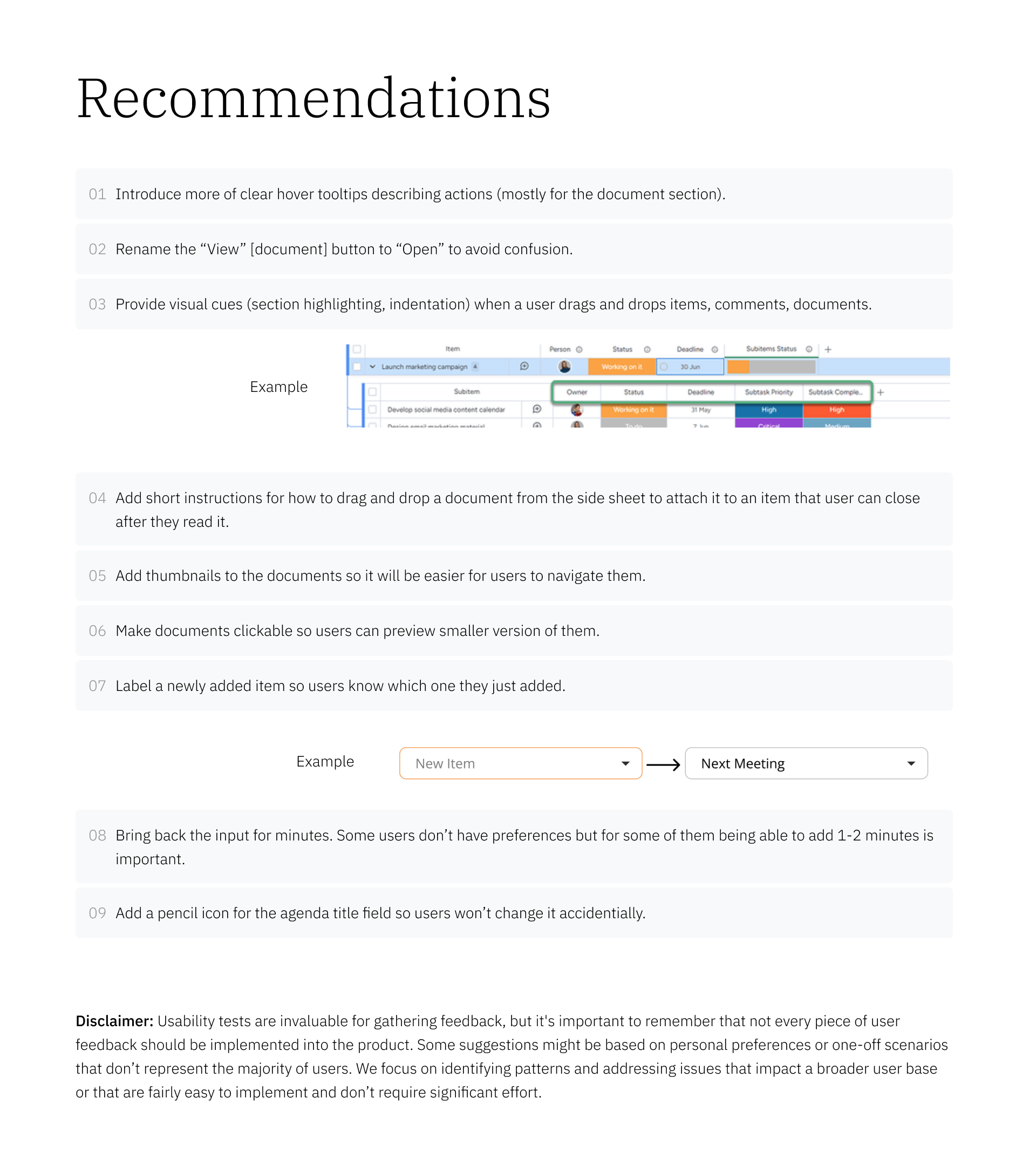
Introduce hover tooltips that describe actions (especially in the documents section)
Rename the “view [document]” button to “open” to avoid confusion
Provides visual cues (highlighting, indentation) when a user drags and drops items
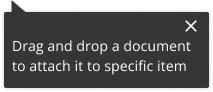
Provide short instructions for how to drag a document from the side sheet to attach it to an agenda item.
Give documents thumbnails and clickable previews.
Label newly added items.
Use a text input field for time. Multiple users expressed a preference for the control that this allows.
Add a pencil icon for the agenda title field.
5. Revise
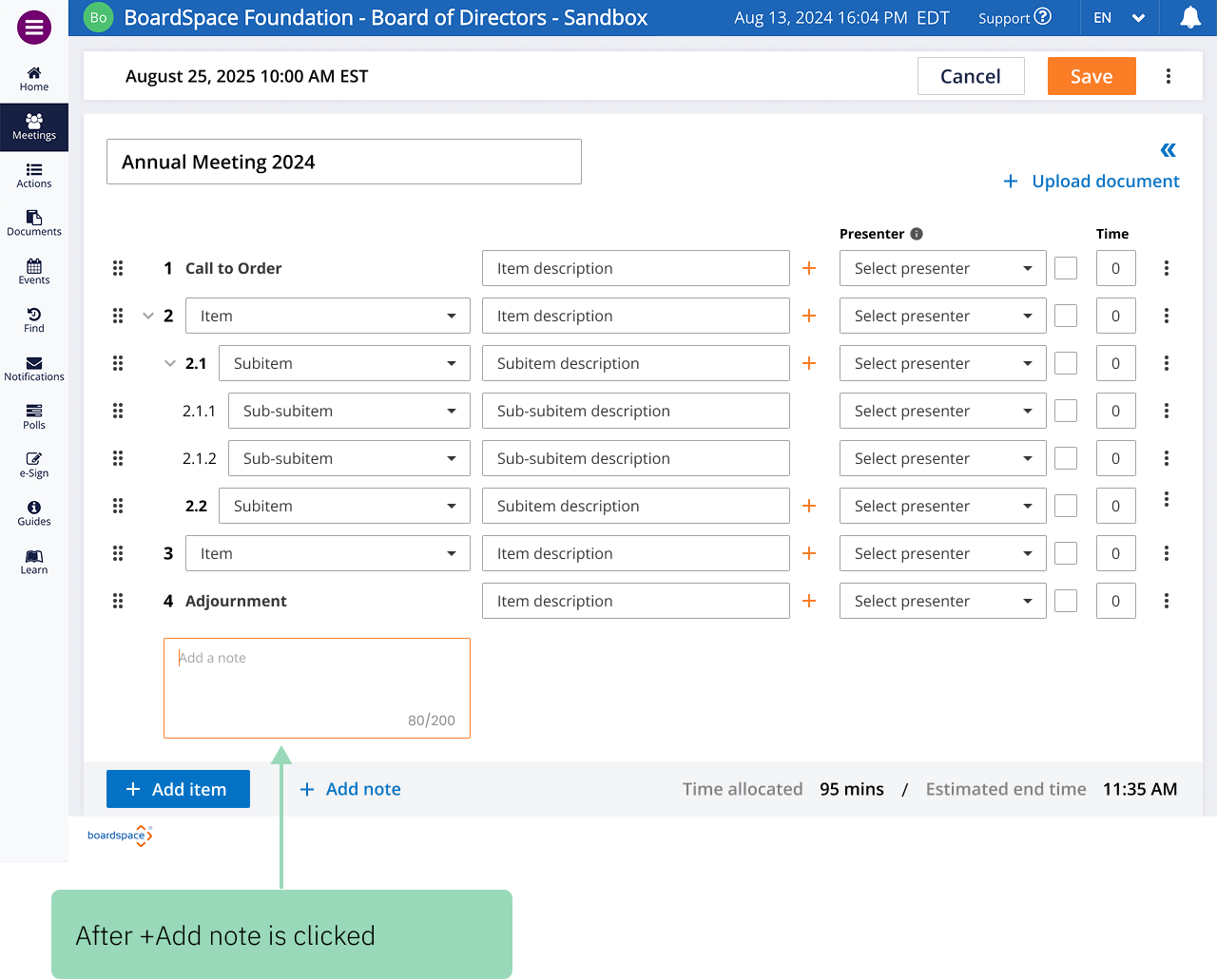
“Attach notes” user flow
Tooltips
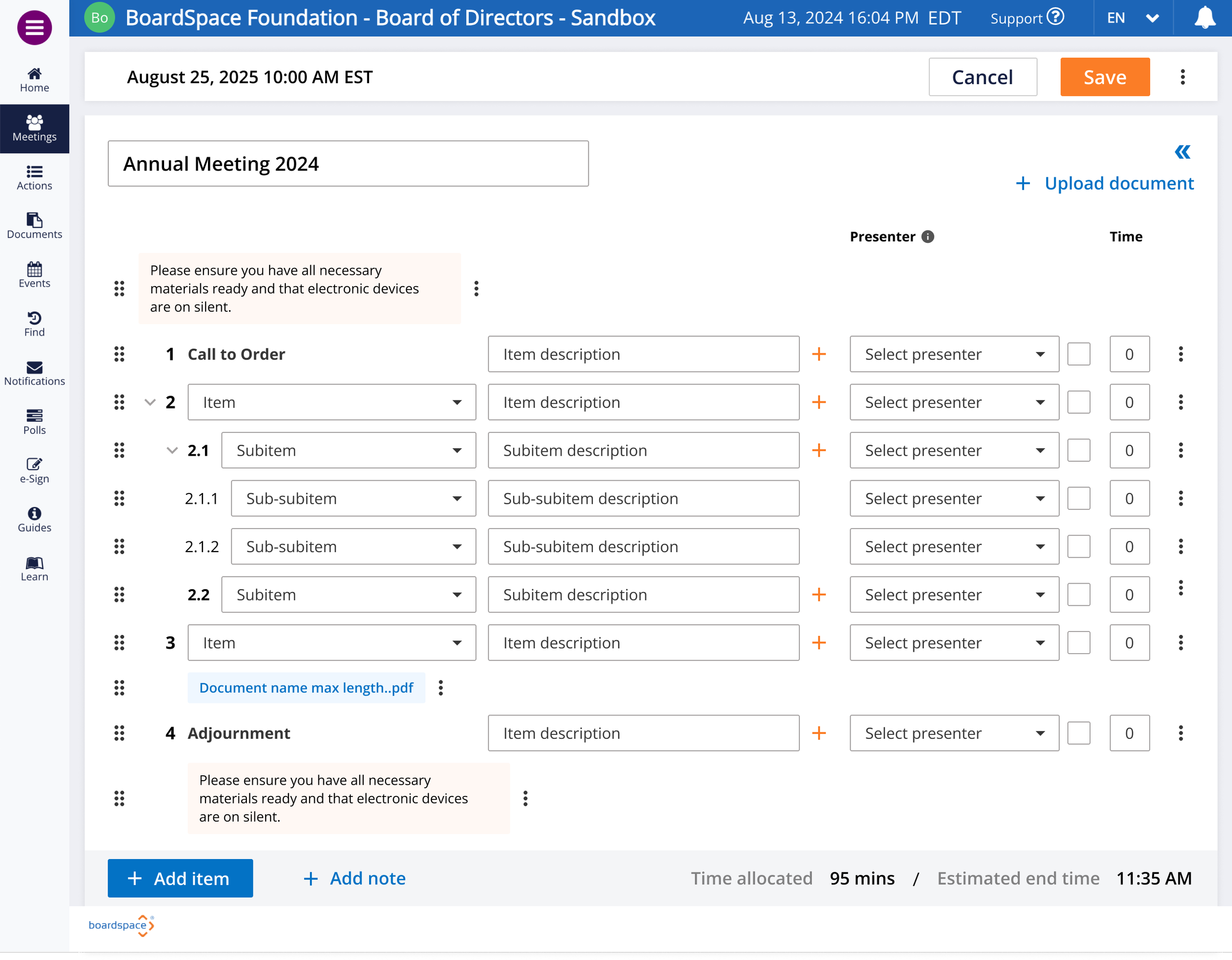
Documents
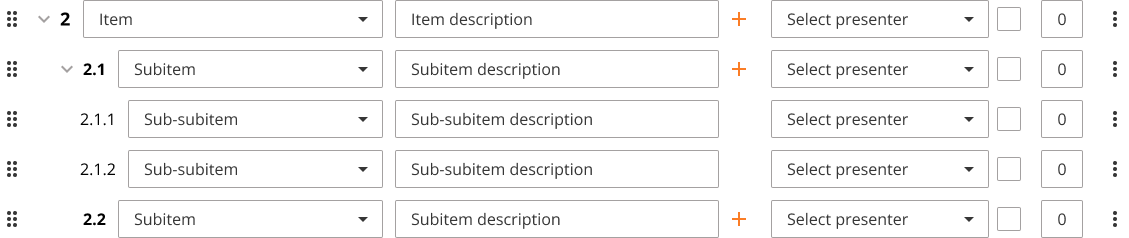
Drag and drop



Next steps
More user testing and collaboration with Boardspace’s engineering team will likely illuminate further usability improvements that our team missed due to our short time frame.
This project emphasized for me the importance of clear documentation — Basing our work off of that of the previous team helped us get further faster, and ideally our work will do the same for the next student team.